Business process automation (BPA) is no longer a luxury reserved for massive enterprises; it's the engine driving efficiency, accuracy, and growth for companies of all sizes. But moving from theory to practice can be daunting. Where do you start? What processes offer the biggest return on investment? This guide cuts through the noise to provide a strategic blueprint, moving past generic descriptions to offer a comprehensive catalogue of real-world business process automation examples.
We will explore 10 tangible workflows you can implement today, many with no-code platforms. Each example is designed to be a mini-playbook, detailing:
- The Problem: The specific manual bottleneck that slows down operations.
- The Automated Solution: A step-by-step breakdown of the new, efficient workflow.
- Measurable Benefits: Key performance indicators (KPIs) to track success.
- Implementation Tips: Actionable advice for setting up the automation.
Understanding how automation redefines modern business involves appreciating the numerous advantages it brings. For a deeper dive into these advantages, you can learn more about the key workflow automation benefits that impact everything from team morale to bottom-line revenue.
This article provides more than just a list; it delivers a strategic framework for identifying and executing high-impact automation projects. You will learn how to transform your most time-consuming manual tasks, such as invoice processing, employee onboarding, and lead qualification, into streamlined, intelligent systems. The goal is to free up your team to focus on what truly matters: innovation, strategic thinking, and meaningful growth. Let's dive into the specific examples that can reshape how your business operates.
1. Lead Capture and Qualification
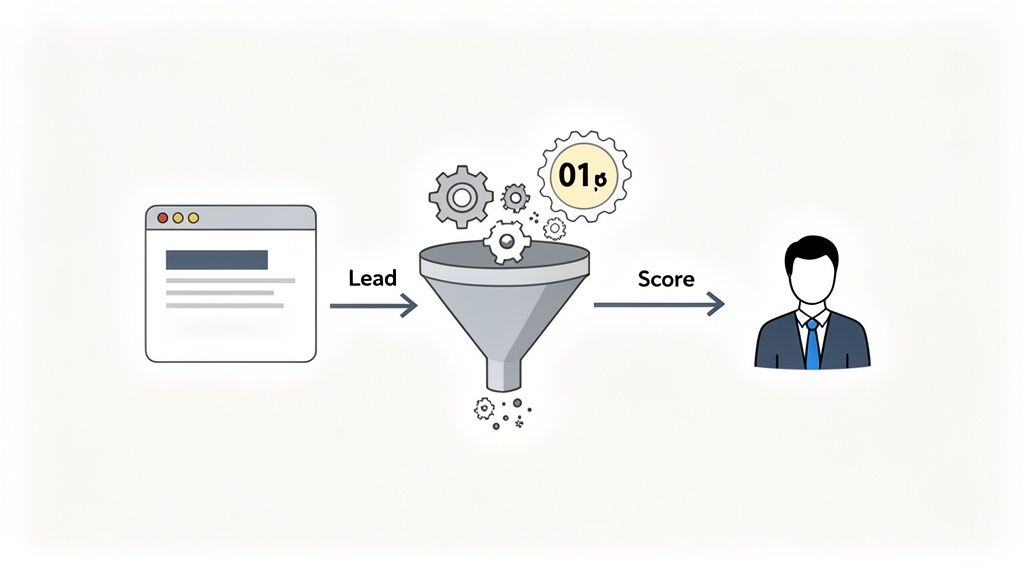
Manual lead capture and qualification is a significant bottleneck for growing businesses. It involves tedious data entry, inconsistent follow-up, and the risk of high-value leads slipping through the cracks. Automating this process transforms a reactive, error-prone system into a proactive, efficient engine that drives sales growth. This is one of the most impactful business process automation examples for any organization focused on customer acquisition.
The core idea is to use web forms and integrated systems to instantly capture, score, and route leads. When a prospect fills out a form on your website, an automation workflow triggers. It analyzes the submitted data against predefined criteria (like company size, job title, or budget) to determine lead quality, then initiates the appropriate next action without any human intervention.
Strategic Breakdown
This automation is crucial because it directly impacts sales velocity and efficiency. High-priority leads are flagged and sent to the sales team for immediate follow-up, dramatically increasing conversion rates. Lower-priority leads aren't discarded; instead, they are entered into automated nurturing sequences (like an email drip campaign) to build interest over time.
For example, a SaaS company can use this to qualify webinar signups. A real estate agency can automatically segment leads based on expressed interest in buying versus renting. The system ensures every lead is handled according to its potential value, maximizing ROI from marketing efforts.
Actionable Implementation Tips
- Define Clear Qualification Criteria: Work with your sales team to identify 3-5 key data points that signal a high-quality lead. This could be company size, industry, specific pain points, or budget range.
- Integrate with Your CRM: Connect your web form tool (like Jotform or Typeform) directly to your CRM (like Salesforce or HubSpot). This prevents duplicate entries and ensures a single source of truth for customer data.
- Use Conditional Logic: Build your automation to route leads based on their answers. For instance, if a lead indicates a budget over $10,000, automatically create a task for a senior sales rep in your CRM and send them a Slack notification.
- Create Nurturing Paths: For leads that don't meet the "hot" criteria, automatically add them to a specific email list in a tool like Mailchimp or ActiveCampaign for a targeted nurturing sequence.
2. Invoice Processing and Payment Collection
Manual invoice management is a drain on resources, introducing delays, human error, and inconsistent cash flow. It involves creating invoices, chasing late payments, and manually reconciling accounts. Automating this entire cycle turns a slow, cumbersome task into a streamlined, reliable system that accelerates revenue collection and improves financial health, making it one of the most critical business process automation examples for service-based businesses.
The automation centers on creating workflows that trigger invoice generation, payment collection, and follow-up sequences. When a project milestone is completed or a subscription period renews, the system automatically generates a detailed invoice, sends it to the client, and tracks its status. It can then initiate payment reminders for overdue accounts without any manual intervention.
Strategic Breakdown
Automating invoicing directly impacts cash flow and operational efficiency. It eliminates the lag time between service delivery and payment, ensuring money comes in faster and more predictably. This system also drastically reduces the administrative burden on your finance team, freeing them to focus on strategic financial analysis rather than chasing paperwork and making phone calls.
For example, a consulting firm can automatically bill clients at the end of each month based on logged hours. A SaaS company can process thousands of recurring subscription payments simultaneously. This automation ensures accuracy, consistency, and professionalism in your financial communications, which enhances client trust. The entire accounts payable workflow can be optimized for speed and accuracy.
Actionable Implementation Tips
- Integrate with Payment Gateways: Connect your automation platform directly to payment processors like Stripe, PayPal, or Authorize.net to allow clients to pay invoices with a single click, which dramatically speeds up collection.
- Set Up Tiered Reminder Sequences: Create a multi-step reminder workflow for overdue invoices. For instance, send a gentle reminder 3 days after the due date, a more direct one at 7 days, and an urgent notification at 15 days.
- Automate Receipt Generation: Once a payment is successfully processed, the system should automatically generate a paid invoice or receipt and email it to the client for their records.
- Use Conditional Logic for Payment Plans: For high-value invoices, build a workflow that offers clients an automated option to set up a payment plan, improving the likelihood of collection for large sums.
3. Employee Onboarding and HR Document Management
Manual employee onboarding is a chaotic and time-consuming process for HR teams. It involves endless paperwork, repetitive data entry, and a constant back-and-forth to collect required documents and signatures. Automating this workflow transforms a fragmented, high-risk process into a seamless, compliant, and positive experience for new hires. This is one of the most critical business process automation examples for ensuring operational consistency and employee satisfaction from day one.
The core concept is to trigger a cascade of automated actions the moment a candidate accepts an offer. This workflow automatically sends out a welcome packet, generates employment contracts, assigns onboarding tasks to IT and managers, and securely collects necessary documents like I-9s and NDAs. It creates a standardized, trackable system that ensures no critical step is missed, from provisioning a laptop to scheduling orientation meetings.
Strategic Breakdown
This automation is crucial because it sets the tone for the entire employee lifecycle. A smooth, organized onboarding process improves new hire retention and accelerates their time-to-productivity. It frees the HR team from administrative burdens, allowing them to focus on more strategic initiatives like employee engagement and culture building.
For example, a tech company can automate remote onboarding by creating a digital portal where new hires complete all paperwork and track their progress. A healthcare organization can ensure HIPAA compliance by securely managing sensitive documents within an automated workflow. The system ensures every new employee, regardless of role or location, receives a consistent and professional welcome.
Actionable Implementation Tips
- Create a Master Checklist: Map out every single document, task, and approval needed for a new hire. Separate this by role or employment type (full-time, part-time, contractor) to create distinct automation paths.
- Use Document Generation: Automate the creation of offer letters, employment agreements, and policy documents by populating templates with data from your HR system or the initial offer form.
- Set Up Automated Notifications: Build a workflow that automatically sends task alerts to IT (to set up accounts), managers (to schedule a welcome meeting), and payroll (to add the new hire to the system).
- Integrate HR Tools: Connect your onboarding workflow with the best HR software for startups or established platforms like BambooHR to create a single source of truth for employee data, preventing manual entry and errors.
4. Customer Application and Approval Workflows
Manually processing customer applications for loans, credit, or new accounts is slow, resource-intensive, and prone to human error. This outdated approach creates a poor customer experience and puts financial institutions at a competitive disadvantage. Automating application and approval workflows eliminates these bottlenecks, ensuring a fast, transparent, and consistent decision-making process. This stands out as one of the most transformative business process automation examples for the financial and insurance sectors.
The process begins when a customer submits an application through a secure online form. An automation engine instantly validates the data against predefined rules, checks for completeness, and routes it to the correct department or individual for review. The system manages the entire lifecycle, from initial submission and multi-level approvals to final notification, all while keeping the applicant informed.
Strategic Breakdown
This automation is critical for improving customer acquisition and operational efficiency. By accelerating decision times from days or weeks to hours or even minutes, businesses can significantly enhance customer satisfaction and reduce applicant drop-off. The system also ensures compliance by creating a clear, auditable trail for every decision made, minimizing regulatory risk.
For example, a fintech company can use this to provide instant loan pre-approvals, gaining a significant edge over traditional banks. An insurance provider can automate policy applications, allowing agents to focus on client relationships rather than paperwork. The workflow guarantees that every application is handled with speed and precision, directly impacting revenue and market share.
Actionable Implementation Tips
- Map All Decision Points: Before building, clearly outline every stage of the approval process, including all potential decision-makers and the specific criteria required for an application to advance.
- Create Parallel Approval Paths: Design separate workflows for different application types. For instance, a standard personal loan application might follow a different, faster path than a complex business credit application.
- Implement Automatic Reminders: Set up automated email or Slack notifications to alert approvers when an application is pending their review. This prevents delays and keeps the process moving forward.
- Build Escalation Rules: Define time-based triggers for escalation. If an application remains pending for more than 48 hours, automatically escalate it to a senior manager to ensure timely resolution.
5. Order Management and Fulfillment
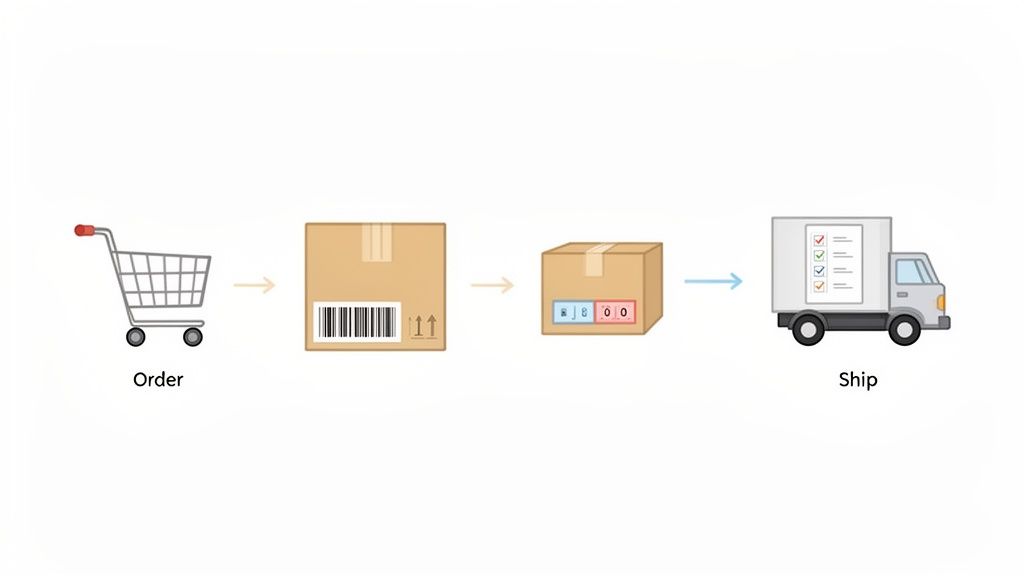
Manual order management is a high-risk activity for any e-commerce or product-based business. It involves juggling customer data, payment processing, inventory checks, and shipping coordination, creating countless opportunities for costly errors, delays, and poor customer experiences. Automating this entire chain of events transforms a chaotic, reactive process into a streamlined, reliable system that can scale with sales volume. This is one of the most fundamental business process automation examples for operational efficiency and customer satisfaction.
The central concept is to create a seamless workflow that triggers the moment a customer places an order. The automation captures order details, securely processes payment, instantly updates inventory levels, and notifies the fulfillment team or third-party logistics (3PL) provider. Each step is connected, ensuring that from cart to delivery, the process is fast, accurate, and transparent for both the business and the customer.
Strategic Breakdown
This automation is critical because it directly impacts cash flow, inventory accuracy, and customer loyalty. An automated system reduces the order-to-cash cycle, ensuring revenue is recognized faster. It also prevents overselling by providing real-time inventory updates, avoiding the customer frustration that comes with backorders or cancellations.
For instance, a subscription box service can automatically process recurring monthly payments, generate a pick list for the warehouse, and send a shipping confirmation email without any manual input. A B2B distributor can use it to manage complex wholesale orders, applying customer-specific pricing and automatically generating invoices, freeing up the sales team to focus on relationships instead of administration.
Actionable Implementation Tips
- Integrate Your E-commerce and Inventory Systems: Connect your storefront (like Shopify or WooCommerce) with your inventory management software. This ensures that every sale automatically deducts stock, providing a single source of truth for availability.
- Create Backorder Workflows: For out-of-stock items, build a workflow that automatically places the item on backorder, notifies the customer of the estimated delay, and alerts the procurement team to reorder the product.
- Automate Payment Failure Recovery: Set up a sequence that automatically retries a failed payment and sends a notification to the customer with a secure link to update their payment information, reducing churn for subscription services.
- Connect to Shipping APIs: Integrate with carriers like FedEx, UPS, or services like ShipStation to automatically generate shipping labels, calculate real-time rates at checkout, and send tracking information to customers.
6. Expense Report and Reimbursement Processing
Managing expense reports and reimbursements is a universal administrative headache. The manual process involves collecting paper receipts, filling out spreadsheets, chasing managers for approvals, and manually processing payments, creating significant delays and frustration for both employees and finance teams. Automating this workflow turns a slow, error-filled chore into a streamlined, compliant, and transparent system, making it one of the most practical business process automation examples for improving operational efficiency.
The automation centers on a digital system where employees can submit expenses through a mobile app or web form, often using OCR to scan receipts and auto-populate data. This submission instantly triggers a predefined approval workflow. The system checks the expense against company policies, routes it to the correct manager, and, upon approval, sends it directly to the finance department for batch processing and reimbursement, all without manual data entry.
Strategic Breakdown
This automation is critical for maintaining financial control and employee satisfaction. It drastically reduces the reimbursement cycle time, ensuring employees are paid back quickly. By embedding policy rules directly into the workflow, it also prevents out-of-policy spending and provides a clear, auditable trail for every expense. This frees up the finance team from tedious administrative tasks to focus on more strategic financial analysis.
For example, a consulting firm can use automation to ensure consultants submit client-billable travel expenses in real-time from the field. A sales team can quickly get reimbursed for client entertainment, and a remote-first company can efficiently manage home office stipends for its distributed workforce, all while maintaining strict budget adherence.
Actionable Implementation Tips
- Establish Clear Policy Rules: Before automating, define your expense policies. Configure the system to automatically flag or reject submissions that exceed spending limits, lack proper documentation, or fall into non-reimbursable categories.
- Integrate with Accounting Software: Connect your expense management tool directly with accounting systems like QuickBooks or Xero. This ensures that once an expense is approved, the data flows seamlessly for bookkeeping and payment processing.
- Leverage Mobile Capture: Choose a tool with a strong mobile app (like Expensify or a custom app built on a no-code platform) that allows employees to snap photos of receipts and submit expenses on the go. This eliminates lost receipts and end-of-month rushes.
- Create Escalation Paths: Build logic for exceptions. If a manager doesn't approve a report within a set timeframe (e.g., 48 hours), the system should automatically send reminders or escalate the request to the next level of management.
7. Contract and Document Lifecycle Management
Managing contracts manually is a high-risk, time-consuming process plagued by version control issues, missed renewal dates, and compliance gaps. It involves endless email chains for review, physical signatures, and scattered storage across different hard drives or cloud folders. Automating the contract lifecycle transforms this chaotic process into a secure, transparent, and efficient system that accelerates deal closure and mitigates risk. This is one of the most critical business process automation examples for ensuring legal and operational integrity.
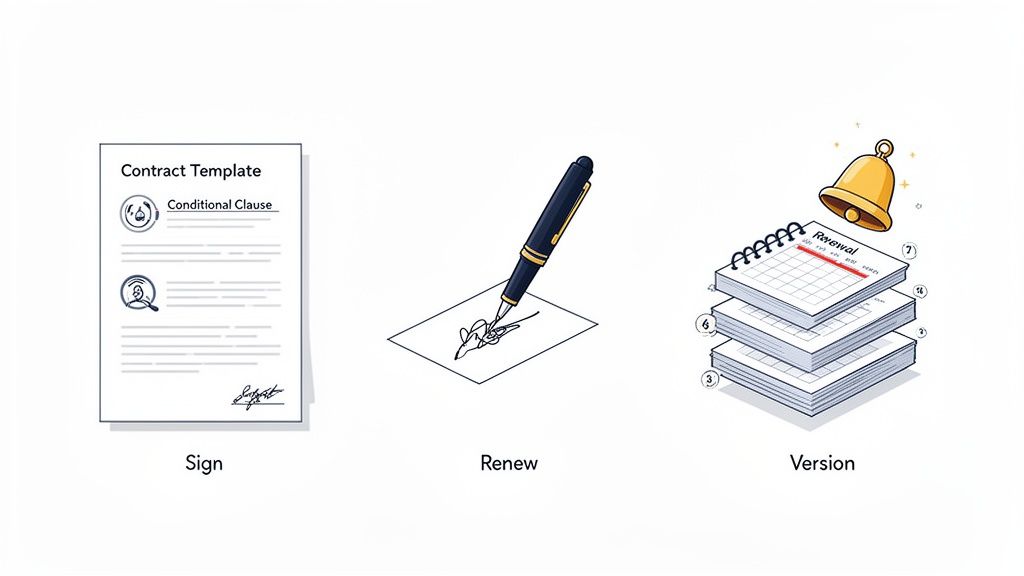
The core of this automation involves a centralized system that manages a contract from creation to expiration. A workflow is triggered when a new contract is needed, pulling data from a CRM or form to populate a pre-approved template. The document is then automatically routed to the right stakeholders for review, redlining, and approval, culminating in a secure e-signature process. Once signed, the document is archived in a central repository, and key dates (like renewals) are logged for future automated alerts.
Strategic Breakdown
This automation is vital because it directly reduces legal risk and shortens the sales cycle. By using pre-approved templates and conditional logic, businesses ensure that all contracts are compliant and consistent. The streamlined review and signature process removes bottlenecks, allowing sales teams to close deals faster. Furthermore, automated renewal reminders prevent revenue leakage from unintentionally lapsed customer agreements or unfavorable auto-renewals with vendors.
For example, a professional services firm can automatically generate a Statement of Work (SOW) when a deal is marked "Closed-Won" in their CRM. A real estate agency can streamline the creation and signing of purchase agreements, ensuring all necessary clauses are included. The system provides a complete audit trail for compliance and centralizes all contractual obligations. You can explore a complete roadmap to building your own contract management workflow here.
Actionable Implementation Tips
- Standardize Your Templates: Start by identifying your 3-5 most frequently used contracts (e.g., NDA, MSA, SOW) and create standardized digital templates. Use placeholders for dynamic fields like client name, dates, and pricing.
- Involve Your Legal Team: Work with legal counsel to define the rules and conditional logic for your workflows. For example, if a contract value exceeds a certain threshold, automatically add the CFO to the approval chain.
- Set Up Automated Reminders: Configure alerts to be sent 90, 60, and 30 days before a contract's expiration or renewal date. Assign these tasks directly to the contract owner in your project management tool.
- Leverage Digital Signature Audits: Use platforms like DocuSign or Adobe Sign that provide a legally-binding audit trail. This records who signed, when, and where, ensuring compliance and enforceability.
8. Survey and Feedback Collection
Manually sending surveys, tracking responses, and analyzing data is a time-consuming process that often leads to stale insights. By the time feedback is compiled, the opportunity to act on it may have passed. Automating feedback collection transforms this slow, reactive process into a dynamic system that provides real-time intelligence and triggers immediate, relevant actions. This is one of the most vital business process automation examples for creating a truly customer-centric or employee-focused organization.
The core principle is to trigger surveys at key moments in a user's journey, automatically collect the responses, and instantly route the data for analysis or action. For instance, after a support ticket is closed, an automated workflow can send a Customer Satisfaction (CSAT) survey. The response data is then instantly updated on a dashboard, and negative feedback can trigger a notification to a manager for immediate follow-up.
Strategic Breakdown
This automation is critical for maintaining high levels of customer and employee satisfaction. It closes the feedback loop instantly, allowing businesses to address issues before they escalate. A low Net Promoter Score (NPS) from a high-value client can automatically create a high-priority task for their account manager, turning a potential churn risk into a relationship-saving opportunity.
For example, a product team can automatically send a survey to users who have just used a new feature, gathering timely feedback for the next development sprint. Similarly, an HR department can automate quarterly employee engagement surveys to monitor morale and identify cultural issues proactively, rather than waiting for exit interviews to learn about problems.
Actionable Implementation Tips
- Trigger Based on Journey Stage: Don't send generic surveys. Use your CRM or marketing automation tool to trigger specific feedback requests based on user actions, such as completing onboarding, making a second purchase, or marking a support ticket as resolved.
- Keep Surveys Short and Focused: To maximize completion rates, limit surveys to 5-7 essential questions. Focus on one specific goal per survey, whether it's measuring CSAT, NPS, or collecting feature requests.
- Automate Critical Feedback Routing: Use conditional logic in your automation tool (like Zapier or Make) to identify negative responses (e.g., an NPS score of 6 or below). Instantly create a task in a project management tool or send a Slack/Teams message to the appropriate team member for follow-up.
- Visualize Data with Dashboards: Connect your survey tool (like Typeform or SurveySparrow) to a data visualization platform like Google Data Studio or a BI tool. This provides a real-time, at-a-glance view of key metrics for the entire team.
9. Content Request and Approval Workflows
Managing content creation in any organization often devolves into a chaotic mix of email chains, spreadsheet trackers, and last-minute Slack messages. This manual approach leads to inconsistent feedback, missed deadlines, and a high risk of off-brand material being published. Automating the content request and approval process creates a centralized, transparent system that ensures quality and accelerates time-to-market.
The automation centers on a standardized submission form and a predefined workflow. A team member initiates a request via the form, which captures all necessary details like content type, target audience, and desired publish date. The workflow then automatically routes the submission to the appropriate reviewers in sequence, from copy editors to legal teams, tracking feedback and status changes at every stage until final approval.
Strategic Breakdown
This automation is critical for maintaining brand consistency and operational efficiency, especially for scaling marketing teams or agencies managing multiple clients. It eliminates the "who needs to see this?" guesswork by formalizing the review chain. More importantly, it creates an auditable record of all requests, feedback, and approvals, which is invaluable for compliance and performance analysis.
For example, a corporate marketing department can use this to manage blog post submissions from various departments, ensuring every piece is reviewed for brand voice, SEO, and legal compliance before going live. An agency can provide clients with a simple portal to submit and approve social media content, reducing back-and-forth communication and clarifying revision requests.
Actionable Implementation Tips
- Standardize the Intake Process: Create a comprehensive content request form that captures everything needed for creation and review, including goals, keywords, required assets, and budget codes.
- Build Conditional Routing Logic: Configure the workflow to route content to different approvers based on its type or scope. For example, a simple social media post might only need a manager's approval, while a white paper involving a budget over $1,000 might also require a director's sign-off.
- Create Feedback Templates: Use pre-filled comment fields or checklists within the approval step to guide reviewers. This ensures feedback is specific and actionable, covering key areas like brand voice, accuracy, and call-to-action.
- Automate Notifications and Publishing: Once final approval is given, trigger an automatic notification to the publishing team or, if integrated, push the content directly into a CMS like WordPress or a social media scheduler like Buffer.
10. Compliance and Training Documentation
Managing compliance and training documentation manually is a high-risk, labor-intensive process. It involves spreadsheets, email reminders, and physical paperwork, creating significant administrative overhead and a high potential for human error. Automating this process transforms a chaotic, reactive system into an organized, proactive framework that ensures regulatory adherence and mitigates risk. This is one of the most critical business process automation examples for organizations in regulated industries.
The core concept involves using a central system to automatically assign training, track progress, collect acknowledgments, and manage certifications. When a new employee is hired or an annual training requirement is due, a workflow triggers. The system assigns the relevant courses, sends notifications, tracks completion, and generates reports without manual intervention, creating a clear audit trail.
Strategic Breakdown
This automation is crucial because it provides a defensible and auditable record of an organization's compliance efforts. It ensures every employee receives and acknowledges required training, from HIPAA in healthcare to safety protocols in manufacturing. The system automatically escalates non-compliance issues, such as an expiring certification, to managers, preventing lapses that could lead to fines or legal action.
For example, a financial services firm can automatically assign and track anti-money laundering (AML) training for all client-facing roles. A construction company can ensure all on-site staff have completed and acknowledged up-to-date safety training. The automation provides management with a real-time dashboard view of the company's compliance posture, turning a major liability into a well-managed operational function.
Actionable Implementation Tips
- Map All Compliance Requirements: Create a comprehensive list of all required training, certifications, and policy acknowledgments, including their frequency and the roles they apply to.
- Integrate with Your HRIS: Connect your automation platform to your Human Resources Information System (like Workday or SAP SuccessFactors). This allows you to automatically enroll new hires and assign training based on their role, department, or location.
- Set Up Automated Reminders and Escalations: Configure the workflow to send automatic email or Slack reminders to employees for incomplete training. If a deadline is missed, an alert should be automatically escalated to their direct manager.
- Automate Certificate Generation: Upon successful completion of a course or assessment, have the system automatically generate and issue a personalized certificate of completion to the employee, while also storing a copy in their digital file.
Business Process Automation: 10 Use Cases Comparison
| Automation Example | Implementation complexity | Resource requirements | Expected outcomes | Ideal use cases | Key advantages |
|---|---|---|---|---|---|
| Lead Capture and Qualification | Medium — form logic + scoring rules | CRM integration, email automation, form tools | Faster lead response; 25–40% higher lead→opportunity | SaaS webinar signups, real estate, B2B lead routing | Faster response, improved lead quality, reduced manual entry |
| Invoice Processing and Payment Collection | Medium — payment gateway & accounting integration | Payment gateways (Stripe/PayPal), accounting software | Faster collections; DSO reduction 15–25% | Consulting firms, subscriptions, agencies, SaaS billing | Faster cash flow, fewer billing errors, audit trail |
| Employee Onboarding and HR Document Management | Medium–High — workflows + e-sign + HRIS integration | HRIS/API, e-signature, document storage | Onboarding time cut 50–60%; faster new hire productivity | Tech remote hires, healthcare, retail scale-ups | Complete records, compliance, reduced HR admin |
| Customer Application and Approval Workflows | High — multi-step routing, verification, audit trails | Document verification, approver roles, compliance tools | Approval time reduced 70–80%; lower abandonment | Banks, insurers, credit/loan applications | Faster decisions, better transparency, regulatory audit trail |
| Order Management and Fulfillment | High — inventory, payment, shipping integrations | Inventory system, payment gateway, shipping APIs | Order processing time cut 75–85%; higher throughput | E‑commerce, distributors, subscription boxes, custom MFG | Fewer errors, real‑time inventory, 24/7 order capture |
| Expense Report and Reimbursement Processing | Low–Medium — mobile capture + policy rules | Mobile app, accounting integration, policy engine | Processing cost −60–70%; reimbursement time −50% | Consulting travel, sales entertainment, remote teams | Faster reimbursements, policy compliance, fraud reduction |
| Contract and Document Lifecycle Management | Medium–High — template logic + legal involvement | Template library, e‑signature, version control | Turnaround time −60–70%; fewer missed renewals | SaaS agreements, real estate, supplier contracts | Standardization, audit trail, automated renewals |
| Survey and Feedback Collection | Low–Medium — distribution + analytics | Multi‑channel survey tools, dashboards, AI sentiment | Faster insights; retention improvement ~15–20% | NPS/CSAT, employee engagement, product feedback | Higher response rates, real‑time insights, closed‑loop actions |
| Content Request and Approval Workflows | Medium — routing + CMS integration | Intake forms, approvers, CMS connectors | Content cycle time −40–50%; higher throughput | Marketing calendars, agency approvals, brand compliance | Consistent brand, fewer revisions, centralized pipeline |
| Compliance and Training Documentation | Medium — assignment rules + tracking | LMS/integration, quizzes, certificate generation | Near 100% completion; audit risk greatly reduced | HIPAA, financial certifications, safety training | Ensures compliance, automated reporting, scalable tracking |
Your Next Step: From Automation Examples to Business Transformation
The journey through these detailed business process automation examples, from lead capture to contract management, reveals a powerful, unifying theme. Automation is not merely about replacing manual clicks with automated scripts; it is a strategic lever for organizational transformation. Each workflow we dissected-from the intricate steps of employee onboarding to the critical path of invoice approval-serves as a blueprint for building a more resilient, efficient, and intelligent business.
The common thread woven through these solutions is the strategic conversion of chaotic, human-dependent processes into streamlined, system-driven workflows. By automating repetitive tasks, you are not just saving time; you are creating an operational foundation built on consistency, accuracy, and scalability. This shift allows your team to redirect their focus from tedious administration to high-value strategic work that drives growth and innovation.
Distilling the Core Principles of Effective Automation
As you consider which process to tackle first, remember the key principles that emerged from our analysis. Successful automation is rarely about a single, monumental overhaul. Instead, it is a cumulative process built on targeted, incremental improvements.
Three core takeaways should guide your implementation strategy:
- Start with Pain, Not Prestige: Identify the processes that cause the most friction, errors, or delays. Automating a high-visibility process might seem appealing, but solving a persistent, tangible problem like slow invoice payments or chaotic onboarding delivers immediate ROI and builds crucial internal support for future projects.
- Data Is Your Compass: The most impactful automation doesn't just execute tasks; it captures valuable data. Whether it's tracking lead conversion times, measuring onboarding completion rates, or monitoring invoice approval cycles, the metrics you gather become the feedback loop that fuels continuous process improvement.
- Empowerment Over Control: Modern no-code platforms democratize automation, empowering the people who know the processes best-your departmental experts-to build, manage, and refine their own workflows. This "citizen developer" approach fosters a culture of ownership and innovation that a top-down, IT-led initiative can rarely achieve.
Your Action Plan: Turning Insights into Implementation
Reading about business process automation examples is the first step; the real value comes from action. The path forward is clearer than you might think. Don't let the scope of a total business overhaul intimidate you. The key is to select a single, manageable process and begin.
Use this simple, three-step framework to launch your first automation project:
- Select Your Target: Review the examples covered in this article. Does your sales team struggle with lead qualification? Is your HR department buried in onboarding paperwork? Pick one specific workflow that represents a clear and present challenge.
- Map the Journey: Before you build anything, sketch out the current process step-by-step. Identify every manual action, decision point, and data transfer. This map will reveal the most obvious opportunities for automation and simplification. For an expanded look at how automation can revolutionize your B2B operations, delve into these 10 game-changing business process automation examples to find more inspiration.
- Build and Iterate: Using a no-code platform, build a minimum viable version of your automated workflow. Test it with a small group, gather feedback, and refine it. This iterative approach ensures you create a solution that truly fits your team's needs, rather than a rigid system they have to work around.
Ultimately, mastering business process automation is about reclaiming your organization's most valuable and finite resource: time. It's about empowering your talented team to solve complex problems, delight customers, and drive strategic initiatives. By taking that first deliberate step, you are not just improving a process; you are building the operational engine for your company's future success.
Ready to turn these examples into your reality? With Supatool, you can build the custom internal tools and automated workflows your business needs, all without writing a single line of code. Start transforming your operations today by visiting Supatool and see how quickly you can bring your first automated process to life.