
How to Duplicate Google Forms (3 Ways) - 2024
Fast navigation
In 3 different methods, we will show you how to duplicate Google Forms.
It’s good to have a backup of your Google Form for many scenarios. So without wasting your time, let’s dive in!
Method 1: Duplicate a Google Form with the Built-in Settings


Step 3: Enter a name for the duplicate form

If you want to share it with the same collaborators, tick the box you can see in the image below.

That’s it! It’s the easiest way of duplicating a Google Form.
Finished!
Method 2: Duplicate a Google Form from Google Drive
Step 1: Locate Your Form in Google Drive
Go to Google Drive.
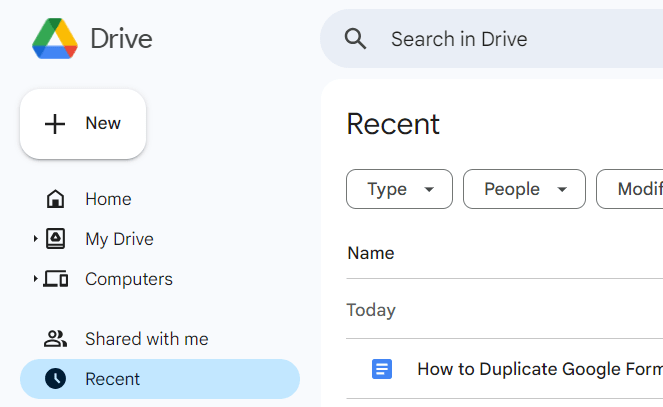
Use the search bar or navigate through your folders to find the form you want to duplicate.

Step 2: Make a Copy of the Form
Once you found your form, click on three dots right after the title. A menu will appear.

Choose "Make a copy" from the dropdown menu.

Rename the duplicated form to avoid confusion by right-clicking the new form three-dots again and select "Rename."

Finished!
Method 3: Duplicate a Template in Google Forms
Step 1: Access Available Templates
Open Google Forms.
Click on the "Template gallery" at the top of the page to view available templates.

Step 2: Duplicate a Template
Choose any template that suits your needs by clicking on it.

Once the template opens, click on the three-dot menu in the upper right corner. Now, you see the drop down menu again.

From the menu, Select "Make a copy" to create a duplicate of the template for your use.

Finished!
Testing and Customizing Your Duplicated Forms
After duplicating your form, you might want to customize it for a specific purpose:
Edit Questions: Modify the form questions and options to suit your new requirements.

Adjust Settings: Check the form settings for response collection, presentation, and restrictions.

Preview: Click the eye icon to preview the form and ensure all changes are correct.

Ready to share?
Click the "Send" button and choose how to distribute your form:

Email: Send directly to respondents' emails.
Link: Create a shareable link.
Embed: Generate HTML code to embed the form on a website.
By using these three duplication methods, you can efficiently repurpose and scale your Google Forms to meet diverse needs. Each method offers specific benefits depending on your situation, whether you're working directly in Google Forms, managing files in Google Drive, or utilizing ready-made templates.