What Is Document Control? (Managing Documents Without Chaos)
Fast navigation
- Key Takeaways//
- Struggling to Keep Documents Organized?//
- What Is Document Control? (Simple Explanation)//
- What Document Control System Actually Includes//
- Why Document Control Matters More Than You Think//
- Document Control vs Document Management (Don’t Confuse Them)//
- How the Document Control System Works (Step-by-Step)//
- Common Problems Without Document Control//
- Where Document Control Is Used (Real Examples)//
- How to Set Up Document Control (Simple Approach)//
- What Makes a Good Document Control System//
- Frequently Asked Questions
If you’ve ever struggled to find the latest version of a file or realized too late that someone used an outdated document, you already know the problem.
Documents pile up fast. Different versions get shared. People make changes without tracking them. And suddenly, no one is sure which file is the correct one.
That’s where things start to break. Mistakes happen, deadlines slip, and in some cases, it can even create compliance or legal risks.
In this guide, we’ll break down what document control actually means, how it works in real situations, and how you can manage documents properly without confusion or chaos.
Key Takeaways
- Document control ensures the right version is used at the right time, preventing confusion, errors, and outdated information.
- It’s not just about storing files, it’s about managing access, tracking changes, and controlling how documents are used.
- Most document issues come from simple gaps, like multiple versions, unclear ownership, or a lack of approval processes.
- A basic setup goes a long way: clear structure, defined roles, consistent naming, and centralized storage solve most problems.
- A good system improves accuracy, compliance, and efficiency, helping your team work faster without mistakes.
Struggling to Keep Documents Organized?
If your files are scattered across emails, folders, and different tools, you’re not alone.
It usually starts small. Someone saves a file locally. Another person edits an older version. A third person shares it again. Now you’ve got multiple versions of the same document, and no one knows which one is correct.
This leads to:
- Lost files that take time to track down
- Outdated documents are being used by mistake
- Confusion across teams about what’s final
And the impact is bigger than it looks. These issues can cause errors in work, missed deadlines, and even compliance problems if the wrong version is used in audits or approvals.
The good news? This is fixable.
Once you understand how document control works, you can keep everything organized, accurate, and easy to manage without the usual chaos.
What Is Document Control? (Simple Explanation)
At its core, document control is the process of managing documents so the right version is always used by the right people at the right time.
It’s not just about storing files.
There’s a big difference between:
- Storing documents → keeping files in folders
- Controlling documents → managing versions, access, approvals, and updates
Think of it like this:
You have a contract saved in a folder. That’s storage. But when you track changes, control who can edit it, and make sure only the latest approved version is used, that’s document control.
A simple example: A team is working on a policy document. Without document control, five versions might exist. With document control, there’s one official version, and every change is tracked.
That’s the difference.
What Document Control System Actually Includes
Document control isn’t just one thing. It’s a combination of small systems working together to keep everything accurate and organized.
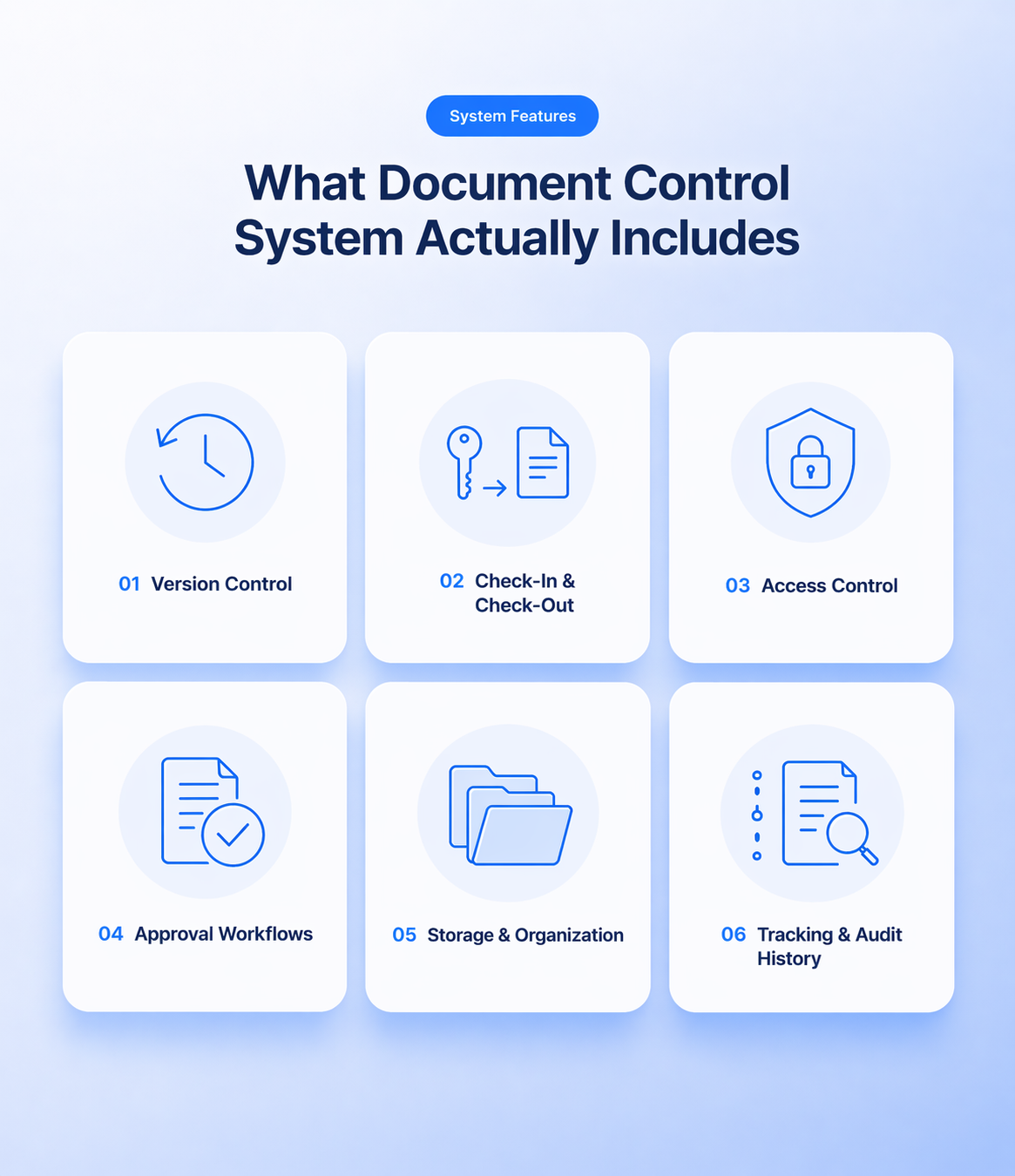
Here’s what it actually includes:
Version Control
This ensures there’s always one correct version of a document.
Instead of multiple files like “final_v2” or “latest_final_final,” version control tracks every update and keeps a clear history. So you always know which version is current and what changed.
Check-In & Check-Out
This controls how documents are edited without conflicts.
When someone is working on a document, they “check it out,” which locks it so others can’t make changes at the same time. Once updates are done, they “check it in,” making the latest version available to everyone.
This helps:
- Prevent overlapping edits
- Avoid accidental overwrites
- Keep changes organized and easy to track
It ensures that only one person edits a document at a time, keeping everything clean and controlled.
Access Control (Who Can View/Edit)
Not everyone should have the same level of access.
With access control, you decide:
- Who can view a document
- Who can edit it
- Who can approve it
This prevents accidental changes and keeps sensitive information secure.
Approval Workflows
Before a document becomes official, it often needs approval.
Approval workflows make sure:
- The right people review the document
- Changes are checked before finalizing
- Nothing goes live without proper sign-off
This reduces errors and keeps everything accountable.
Document Storage and Organization
Documents need to be easy to find.
This means:
- Keeping files in a centralized location
- Using clear naming and structure
- Avoiding scattered versions across emails or devices
Good organization saves time and avoids confusion.
Tracking and Audit History
Every action should be recorded.
Audit history shows:
- Who created or edited a document
- When changes were made
- What exactly was updated
This is critical for accountability, troubleshooting, and compliance.
Why Document Control Matters More Than You Think
It might sound like an internal process, but document control directly affects how your business runs.
Here’s why it matters:
- Avoiding mistakes and outdated files- When everyone uses the correct version, you reduce errors that come from outdated or incorrect information.
- Improving team coordination- Teams work better when they’re aligned. Document control ensures everyone is working from the same source of truth.
- Compliance and audit readiness- Many industries require proper documentation. With document control, you can prove what was approved, when, and by whom.
- Business impact (time, cost, risk)- Poor document handling wastes time, increases risk, and leads to costly mistakes. Proper control saves time and keeps things running smoothly.
In short, document control isn’t just about documents. It’s about keeping your work accurate, consistent, and reliable.
Document Control vs Document Management (Don’t Confuse Them)
These two are often mixed up, but they’re not the same.
Here’s a simple way to understand it:
- Document management is about storing and organizing files
- Document control is about how those files are handled, updated, and used
Where they overlap: Both deal with documents, storage, and access. You usually need document management as the base.
Where they differ: Document control focuses more on the process:
- Who can edit
- How changes are tracked
- How approvals happen
- Which version is valid
So while document management helps you find documents, document control ensures you’re using the right ones correctly.
How the Document Control System Works (Step-by-Step)
Once you understand the flow, document control becomes much easier to manage.
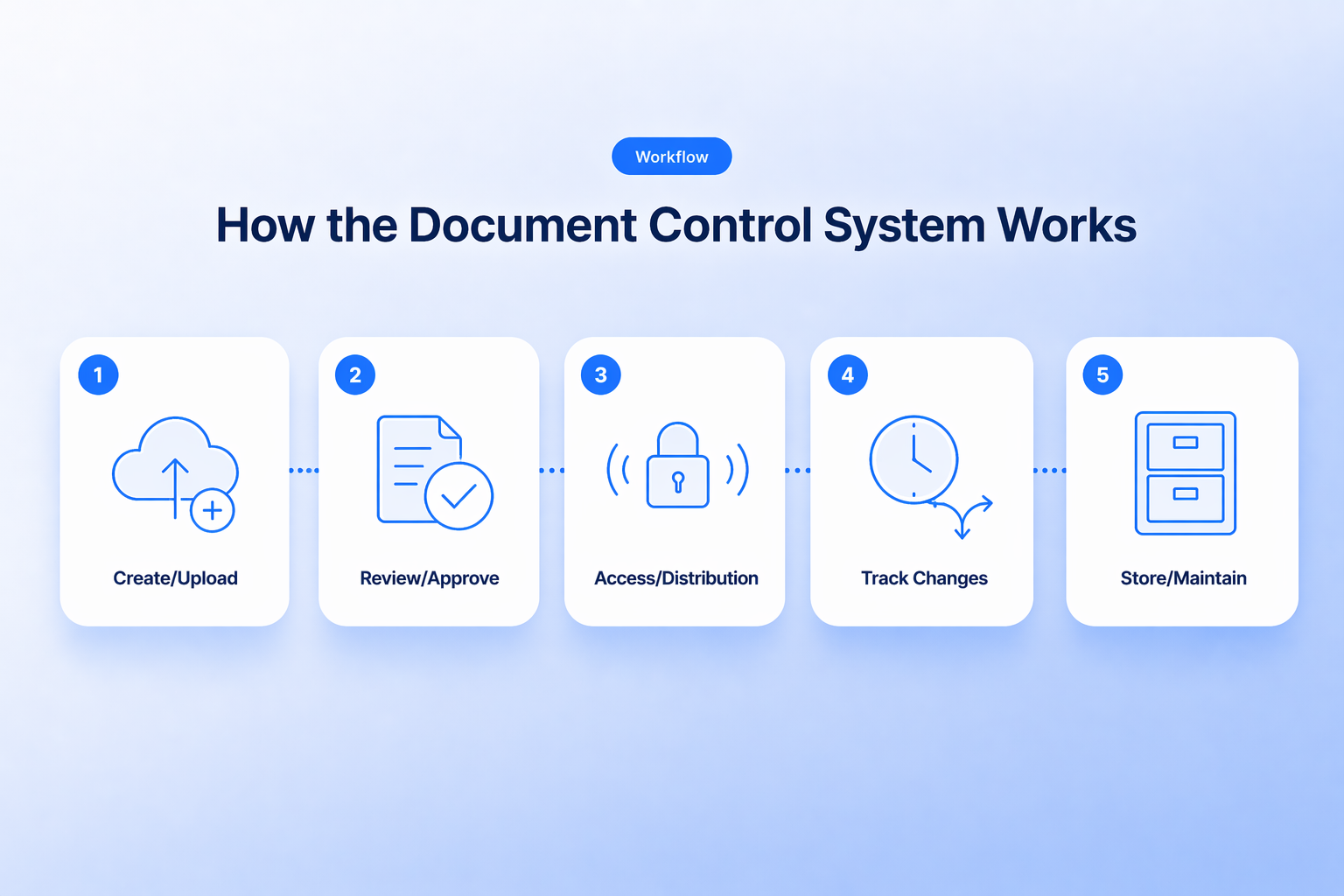
Step 1: Create or Upload a Document
Everything starts here.
A document is either created from scratch or uploaded into the system. At this point, it’s usually marked as a draft.
Step 2: Review and Approve
Before the document is finalized, it goes through review.
Relevant people check:
- Accuracy
- Completeness
- Compliance with requirements
Only after approval does it become an official version.
Step 3: Control Access and Distribution
Now the document is shared with the right people.
Access is controlled so:
- Only authorized users can edit
- Others can view but not change
This keeps the document stable and reliable.
Step 4: Track Changes and Versions
As updates happen, every change is recorded.
This ensures:
- No confusion about versions
- A clear record of what changed and when
You always have a history to refer back to.
Step 5: Store and Maintain Records
Finally, the document is stored properly.
This includes:
- Keeping it in a central location
- Archiving old versions
- Making sure it’s easy to retrieve later
At this stage, the document becomes part of your long-term records, ready for future use or audits.
Common Problems Without Document Control
When there’s no system in place, things start breaking fast. And most of the time, it’s not obvious until something goes wrong.
Here’s what usually happens:
- Multiple versions floating around- You end up with files like “final_v2,” “updated_final,” and “latest.” No one knows which one is actually correct.
- People using outdated documents- Someone picks an older version and works on it. Now decisions are based on wrong or outdated information.
- No clear ownership- No one knows who’s responsible for updating or approving documents. This leads to delays and confusion.
- Compliance issues- If you can’t prove who approved what and when, audits become a problem. In some industries, this can lead to serious consequences.
These problems don’t come from complexity. They come from a lack of structure.
Where Document Control Is Used (Real Examples)
Document control isn’t just for large enterprises. It shows up anywhere accuracy and consistency matter.
Here are some real-world examples:
- Construction projects- Teams rely on updated drawings, plans, and contracts. Using the wrong version can lead to costly mistakes on-site.
- Healthcare records- Patient data, reports, and procedures must be accurate. Document control helps avoid errors that can impact patient care.
- Legal documents- Contracts, agreements, and case files need strict tracking. One wrong version can affect legal outcomes.
- Finance and compliance- Financial records and reports must be controlled and traceable. This ensures regulatory compliance and audit readiness.
- Internal business processes- Policies, SOPs, and internal documents need to stay updated so teams follow the correct procedures every time.
No matter the industry, the goal is the same: make sure the right document is used at the right time by the right people.
How to Set Up Document Control (Simple Approach)
You don’t need a complex system to get started. What matters is having a clear process that everyone follows.
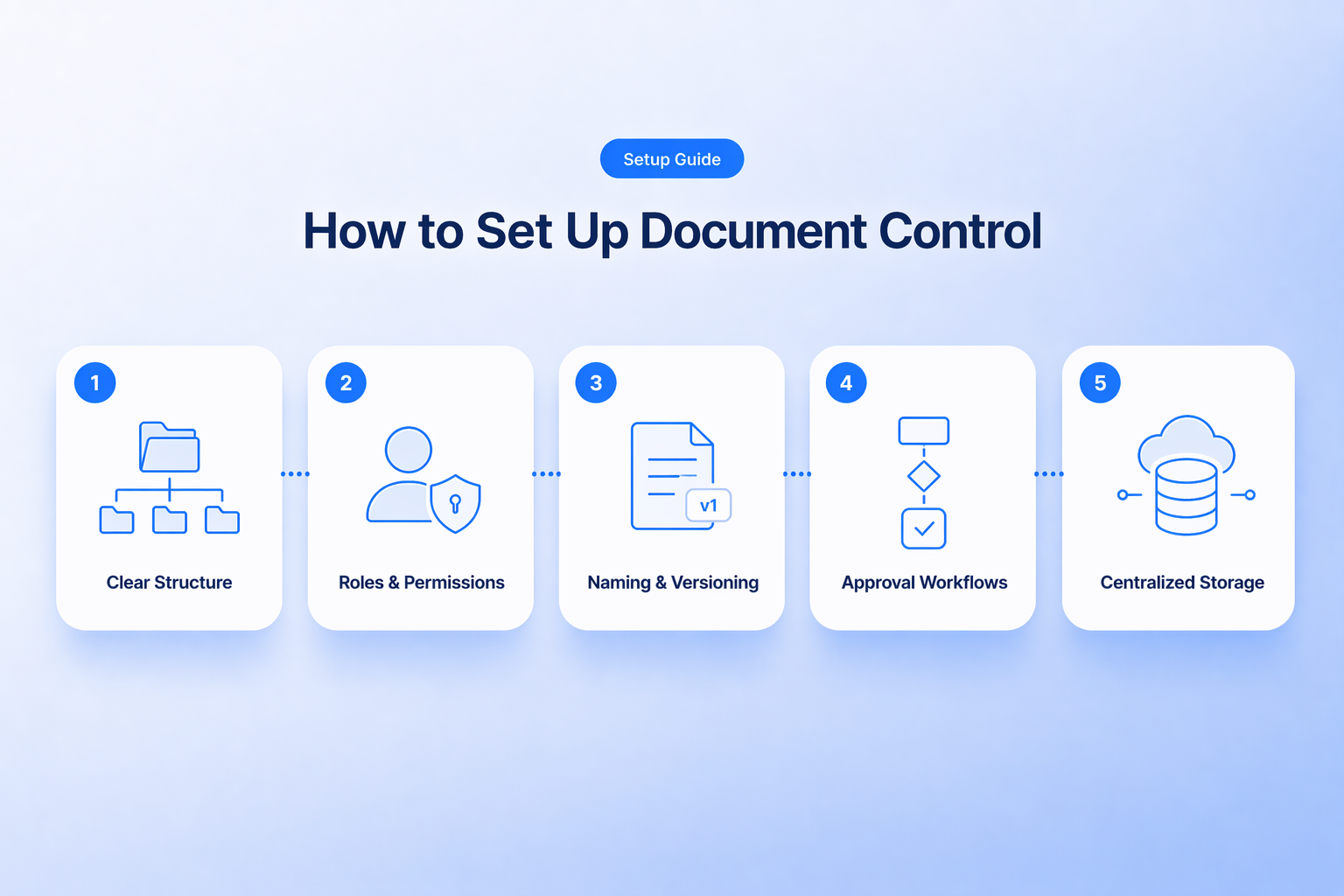
Here’s a simple way to set it up:
- Start with clear structure- Organize your documents into logical folders or categories. Keep it simple so anyone can quickly find what they need.
- Define roles and permissions- Decide who can create, edit, review, and approve documents. This avoids confusion and prevents unauthorized changes.
- Use consistent naming and versioning- Stick to a standard format for file names and versions. For example: Policy_v1, Policy_v2, Final_Policy This makes it easy to track updates without guessing.
- Create approval workflows- Set a clear process for reviews and approvals. No document should become final without the right people signing off.
- Keep everything centralized- Store documents in one place instead of spreading them across emails, devices, or random folders. This ensures everyone works from the same source.
Start simple. Once the basics are in place, everything becomes easier to manage.
What Makes a Good Document Control System
Not all systems work well. A good document control setup should make things easier, not more complicated.
Here’s what to look for:
- Easy access- Documents should be quick to find without digging through multiple folders or tools.
- Clear version tracking- You should always know which version is current and what changed. No confusion, no duplicate files.|
- Secure permissions- Only the right people should be able to view or edit documents. This protects sensitive information.
- Audit trail- Every action should be recorded. You need to see who changed what and when, especially for compliance.
- Automation support- Repetitive tasks like approvals, notifications, and updates should be automated. This saves time and reduces manual errors.
A good system doesn’t just store documents. It helps you control, track, and manage them without chaos.
Frequently Asked Questions
What is the main purpose of document control?
The main purpose of document control is to ensure that the right document version is used by the right people at the right time. It helps prevent errors, keeps information accurate, and makes sure all changes are properly tracked and approved.
Is document control the same as document management?
No, they are not the same. Document management focuses on storing and organizing files, while document control focuses on how those files are updated, approved, and used. Document control is more about process, not just storage.
Who is responsible for document control?
Responsibility usually depends on the organization. It can be handled by a document controller, operations team, or department managers. In many cases, different people manage different parts, but there should always be clear ownership and defined roles.
Which industries need document control the most?
Industries that deal with strict processes and regulations rely on document control the most. This includes construction, healthcare, legal, finance, manufacturing, and engineering. These fields need accurate records and clear tracking to avoid risks and ensure compliance.
Can small businesses use document control systems?
Yes, small businesses can absolutely use document control systems. They don’t need complex tools to start. Even simple steps like organizing files, controlling access, and tracking versions can improve accuracy and reduce confusion.