Finding the best CRM for your small business is more than just picking software; it's about choosing a central hub for your customer relationships that can scale with your ambitions. A great CRM organizes your contacts, automates repetitive tasks, and provides the insights you need to close more deals and delight customers. But with so many options, the challenge is identifying which one truly fits your specific needs, team size, and budget.
This guide cuts through the noise. We've analyzed the top CRM platforms, segmenting them by their strongest use cases. Whether you need a sales-focused powerhouse like Pipedrive, an all-in-one marketing suite like HubSpot, or a simple, budget-friendly tool like Capsule CRM, you'll find it here. We'll explore the critical features, honest pros and cons, and pricing of each, helping you make a confident, informed decision. Each review includes screenshots and direct links to get you started quickly.
If budget is a primary concern for your growing business, exploring options for the best free CRM for small business options can be a great starting point. Many platforms offer robust free tiers that provide significant value without the upfront investment.
Our comprehensive roundup covers everything from industry giants like Salesforce to flexible workflow platforms such as monday Sales CRM. We'll also dive into when a traditional CRM might not be the answer and a no-code platform like Supatool could be a better fit for your operational needs. This list is designed to be your definitive resource for selecting the right growth engine for your business.
1. Supatool
Supatool distinguishes itself not as a traditional CRM, but as a powerful, no-code automation platform that can serve as the operational core for many small businesses. Instead of focusing solely on contact management, it provides an all-in-one toolkit to build the custom workflows that feed a CRM: from lead capture and client onboarding to payment processing and document generation. This makes it an exceptional choice for businesses that need to automate complex, multi-step processes without writing any code.
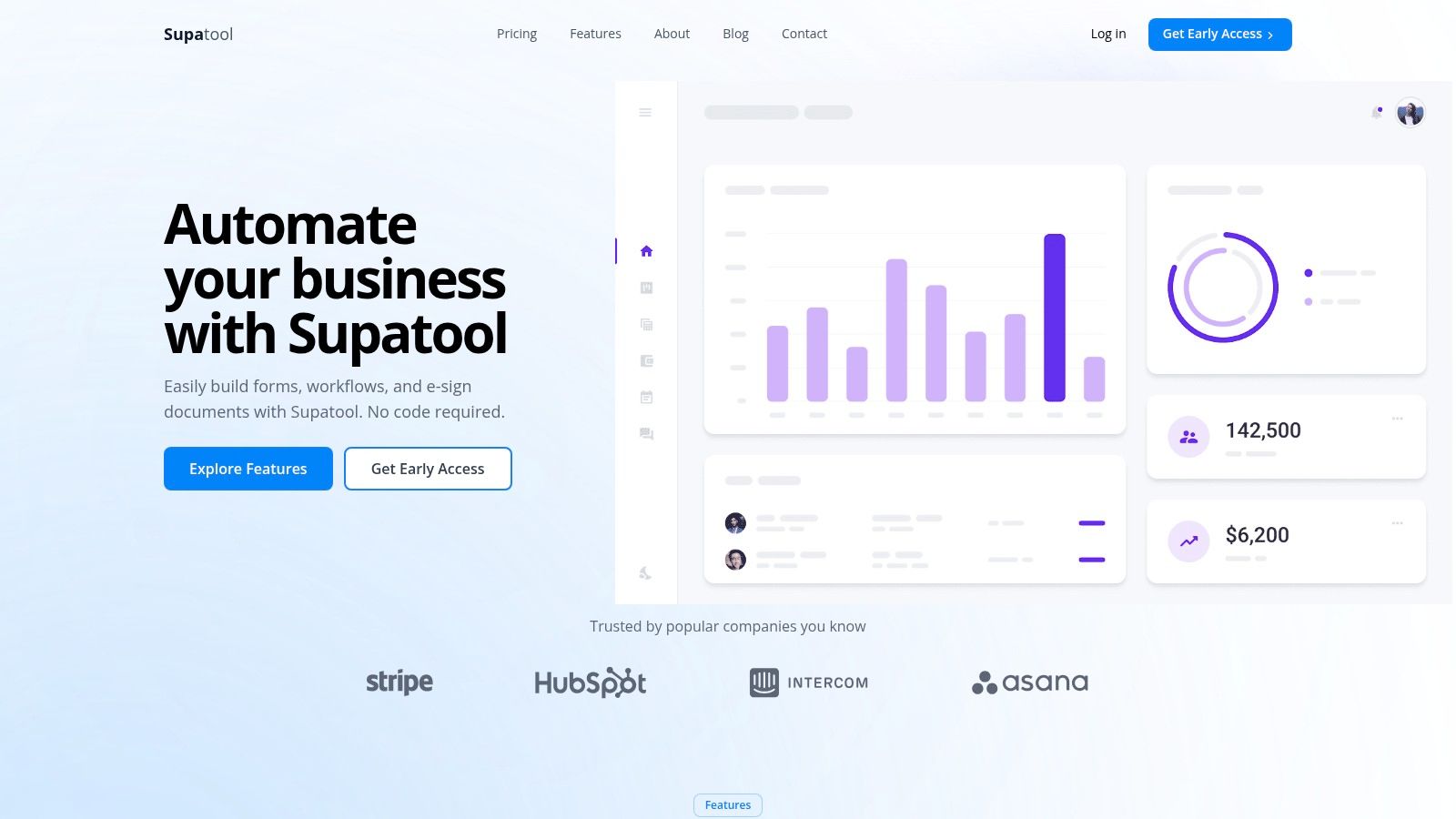
What sets Supatool apart is its ability to consolidate tools that teams often purchase separately. You can design dynamic web forms with conditional logic, generate contracts or proposals by mapping form data directly to PDFs, and collect legally binding e-signatures. The platform also integrates payment gateways like Stripe and PayPal directly into your forms without charging its own transaction fees, a significant cost-saver for service-based businesses or e-commerce startups.
The platform's AI-powered analytics are a key advantage, offering insights that go beyond typical form submissions. Real-time user behavior recordings and drop-off tracking help you pinpoint exactly where prospects abandon a form, allowing for data-driven optimizations to improve conversion rates. This feature is invaluable for refining sales funnels, client intake processes, or marketing campaigns. For a company seeking the best crm for small business that emphasizes operational efficiency and process automation, Supatool provides a uniquely flexible and robust foundation.
Key Details & Considerations
- Best For: Operations, sales, and HR teams needing to automate end-to-end processes involving forms, documents, e-signatures, and payments in one unified system.
- Pricing: The public site currently promotes "Get Early Access," suggesting that specific pricing tiers are not yet finalized. Prospective users should contact the sales team or join the waitlist for detailed plan information.
- Implementation Tip: Start by mapping out a single, high-friction process like client onboarding. Use one of Supatool's templates as a base and customize the workflow, logic, and integrations step-by-step before rolling it out company-wide.
- Pros:
- Consolidates forms, workflows, e-signatures, and document generation into one platform.
- No-fee payment processing via major gateways (Stripe, PayPal, Authorize.net).
- AI-driven analytics with real-time user recordings to optimize conversions.
- Extensive integrations (100+) and offline form capability.
- Cons:
- Limited public information on pricing and plan structures.
- Security and compliance certifications (e.g., SOC 2, GDPR) are not prominently displayed, requiring direct verification for regulated industries.
Website: https://supatool.io
2. HubSpot
HubSpot stands as an all-in-one customer platform, widely recognized as one of the best CRM for small business owners looking for a system that can grow with them. It combines a powerful, free core CRM with paid "Hubs" for Sales, Marketing, and Service, allowing businesses to create a unified view of the customer journey from the first touchpoint to post-sale support. This modular approach is its key differentiator; you start for free and add capabilities as you need them.
The platform is designed around inbound methodology, making it ideal for companies that rely on content marketing, SEO, and social media to attract leads. Its user-friendly interface simplifies contact management, deal tracking, and email marketing, even for non-technical users. The extensive app marketplace ensures you can connect it to hundreds of other tools you already use.
Ideal Use Case & Key Features
HubSpot is best for startups and growing SMBs that need an integrated marketing, sales, and service solution. It excels for teams that plan to scale and want a system that can handle increasing complexity without a complete overhaul. Performing a detailed workflow analysis can help you map your processes directly to HubSpot's Hub structure.
- Generous Free CRM: Includes contact management, deal pipelines, live chat, and basic email marketing.
- Scalable Hubs: Add paid Sales, Marketing, and Service Hubs for advanced features like automation, sequences, and ticketing.
- Large App Marketplace: Integrates with over 1,000 third-party applications, including Slack, Zapier, and Google Workspace.
- Extensive Onboarding: Offers a vast library of free courses and certifications through HubSpot Academy.
Pricing and Limitations
While the free CRM is a fantastic starting point, the costs can add up quickly as you add paid Hubs and more users. The pricing structure can feel complex, with different tiers (Starter, Professional, Enterprise) for each Hub. Advanced automation and in-depth reporting are typically locked behind the more expensive Professional and Enterprise plans.
- Pros: Best-in-class free tier, scales cleanly with business growth, excellent educational resources.
- Cons: Paid tiers can be expensive, complex pricing across multiple hubs.
Find it at: https://www.hubspot.com/
3. Salesforce
Salesforce is an enterprise-grade powerhouse that has tailored a specific offering, the Starter Suite, to make its platform one of the best CRM for small business owners with ambitious growth plans. It provides a robust, scalable foundation for managing customer relationships, with guided processes for sales, service, and marketing. For businesses that anticipate scaling significantly, Salesforce offers a clear upgrade path from a manageable starting point to a fully-featured enterprise system.
The platform is built around a unified data model, ensuring a single source of truth for every customer interaction. Its core strength lies in its configurability and the vast AppExchange ecosystem, allowing businesses to customize and extend the CRM's functionality to meet unique industry needs. The integration with Slack also provides powerful collaboration options, bringing customer data directly into team conversations.
Ideal Use Case & Key Features
Salesforce is best for SMBs that are serious about growth and need a highly scalable, trusted platform. It's an excellent choice for businesses that plan to eventually need advanced automation, in-depth forecasting, and custom API integrations, and want to build on a system that can support that evolution without requiring a future migration.
- Guided Sales Processes: Standardized workflows for managing accounts, contacts, leads, and opportunities.
- Integrated Starter Suite: Combines sales, service, and basic marketing tools with native email sync in one package.
- Vast AppExchange Ecosystem: Access thousands of third-party apps to extend functionality for any business need.
- Clear Upgrade Path: Seamlessly transition to more advanced Professional and Enterprise editions as your team grows.
Pricing and Limitations
The Starter Suite offers an approachable entry point, but the platform's true power is unlocked in higher, more expensive tiers. While powerful, Salesforce can feel more complex to configure than some CRMs built exclusively for small businesses. Many advanced features, like sophisticated automation and API access, are reserved for pricier plans or sold as add-ons.
- Pros: Trusted enterprise-grade platform, strong scalability, approachable entry pricing with a clear upgrade path.
- Cons: Configuration can be heavier than lightweight CRMs, many advanced capabilities are reserved for higher tiers.
Find it at: https://www.salesforce.com/
4. Zoho CRM
Zoho CRM is a powerhouse in the small business space, offering a robust, feature-rich platform at an exceptionally competitive price point. It’s part of the larger Zoho ecosystem, a suite of over 50 interconnected business applications. This integration is Zoho's key advantage; it provides a single vendor solution for everything from sales and marketing to finance and HR, creating a unified operational backbone for a growing company.
The platform is known for its deep customization capabilities, allowing businesses to tailor modules, fields, and layouts to their specific processes. Its clean interface makes navigating core functions like lead, contact, and deal management straightforward. For businesses that envision using a wide array of software tools, Zoho presents an attractive, all-in-one alternative to piecing together multiple disparate systems.
Ideal Use Case & Key Features
Zoho CRM is best for SMBs that need an affordable, all-in-one solution with the flexibility to scale across different business functions. It's a strong choice for companies that want to go beyond a simple CRM and unify their entire tech stack. The platform’s extensibility makes it suitable for businesses that require automated data integration between sales, marketing, and support departments without a hefty price tag.
- Broad Feature Set: Includes lead management, workflow automation, sales forecasting, and advanced analytics.
- Deep Customization: Offers custom modules and Canvas, a drag-and-drop design studio for creating personalized user interfaces.
- Part of the Zoho Ecosystem: Seamlessly integrates with Zoho Books, Zoho Campaigns, Zoho Desk, and dozens of other Zoho apps.
- AI-Powered Assistant: Zia, Zoho’s AI, provides predictions, suggestions, and alerts to help sales teams work more efficiently (available on higher tiers).
Pricing and Limitations
Zoho offers a free edition for up to three users, making it a great entry point. Its paid plans are some of the most affordable on the market, providing immense value. However, the sheer breadth of features can be overwhelming for first-time users, and some of the most powerful capabilities, like the Zia AI assistant, are reserved for the more expensive Enterprise and Ultimate tiers. Customer support quality can also vary unless you opt for a paid support plan.
- Pros: Highly competitive pricing, extensive feature set, seamless integration with the vast Zoho app suite.
- Cons: Can have a steeper learning curve, premium features and support come at a higher cost.
Find it at: https://www.zoho.com/crm/
5. Pipedrive
Pipedrive is a sales-focused CRM designed with a singular goal: to help salespeople sell. It’s renowned for its visual pipeline management, which provides a clear, intuitive overview of the sales process from lead to close. This focus on usability and fast onboarding makes it one of the best CRM for small business sales teams that need a tool they can start using effectively from day one without a steep learning curve.
The platform is built around activity-based selling, prompting reps to focus on the actions that drive deals forward. Its clean interface, robust mobile apps, and useful automation features simplify daily tasks like email syncing and scheduling. For Pipedrive users, optimizing lead capture is essential; you can learn how to master Pipedrive web forms for smarter lead capture to enhance your CRM's effectiveness. The system's simplicity is its core strength, ensuring that sales teams spend more time selling and less time fighting with their software.
Ideal Use Case & Key Features
Pipedrive is ideal for SMBs whose primary need is a dedicated sales pipeline and deal management tool. It's a perfect fit for sales-driven teams that value simplicity, visual tracking, and straightforward automation. Its features are tailored to streamline the sales cycle, including the processes covered in a contract management workflow.
- Visual Sales Pipelines: Drag-and-drop interface for managing deals across customizable stages.
- Activity-Based Selling: Prompts for next actions and tracks emails, calls, and meetings automatically.
- AI-Powered Features: Includes a Sales Assistant for performance tips, report creation, and email tools.
- Optional Add-Ons: Expand functionality with LeadBooster (lead generation), Campaigns (email marketing), and Projects (post-sale management).
Pricing and Limitations
Pipedrive offers transparent, per-user pricing that is more predictable than modular platforms. It starts with an Essential plan and scales up to Enterprise, with a 14-day free trial available. However, many key features, like advanced reporting and critical lead generation or marketing tools, are either locked behind higher-tier plans or require purchasing separate, paid add-ons.
- Pros: Extremely intuitive and easy-to-use interface, clear and predictable per-seat pricing.
- Cons: Core product is heavily sales-focused; marketing features require paid add-ons, and in-depth reporting is limited to more expensive plans.
Find it at: https://www.pipedrive.com/
6. monday Sales CRM
monday Sales CRM leverages the power of the flexible monday.com Work OS to create a visually intuitive and highly configurable customer relationship management platform. It excels at bridging the gap between sales activities and broader operational or project workflows, making it a strong contender for the best CRM for small business teams that need to see the bigger picture. Instead of a rigid, pre-built system, monday provides a framework of customizable boards, automations, and dashboards to build the exact sales process your team needs.
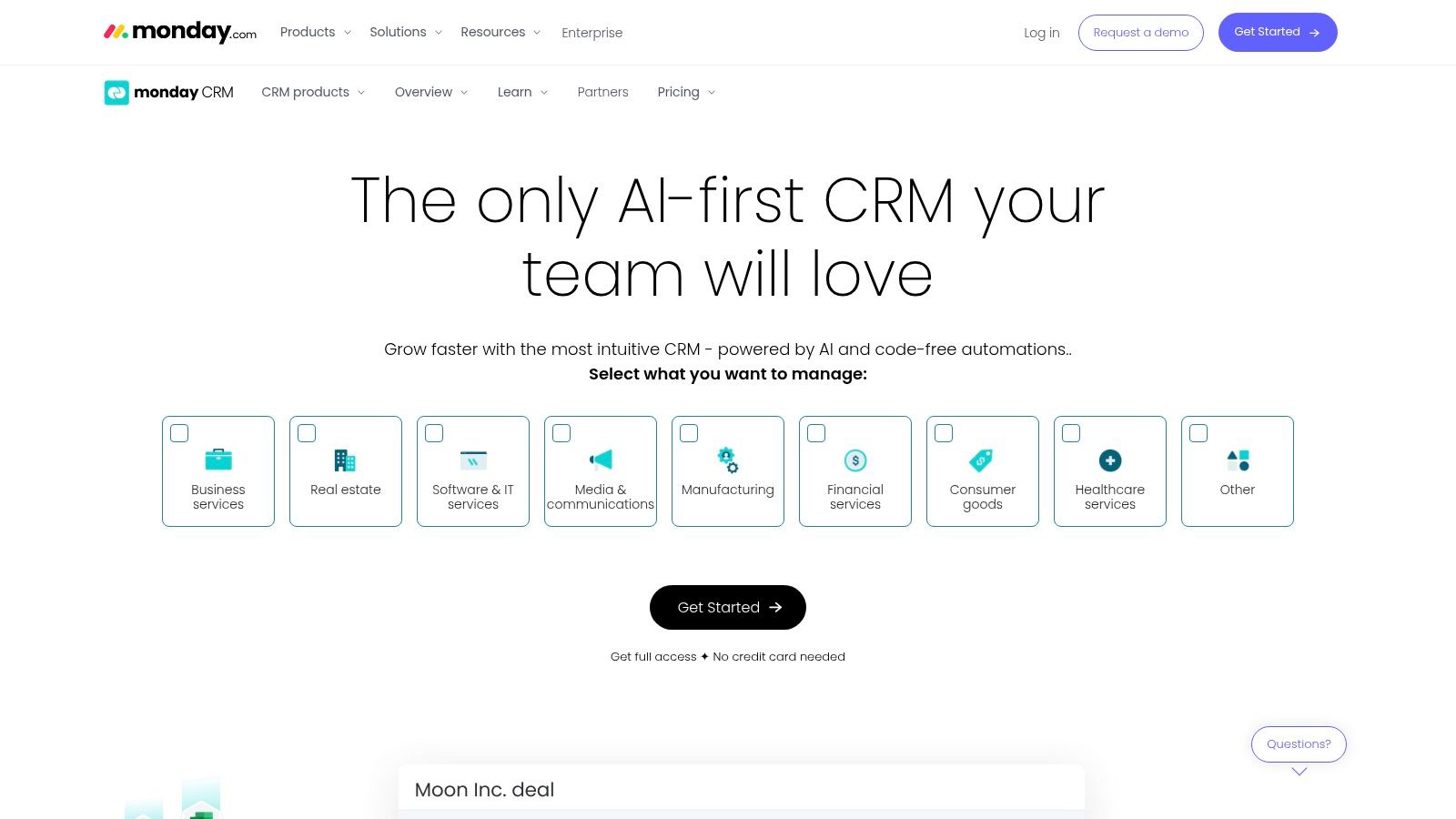
This platform is uniquely suited for businesses where sales success is deeply intertwined with project execution or service delivery. Its core strength lies in its ability to unify disparate teams on one platform, providing transparent pipelines and automated handoffs between sales, operations, and account management. The drag-and-drop interface makes building complex workflows accessible without requiring any code.
Ideal Use Case & Key Features
monday Sales CRM is best for operations-focused SMBs and teams that require deep customization to align their sales process with project delivery or other business functions. It's ideal for businesses that find traditional CRMs too restrictive and want a single source of truth for all customer-related work, not just sales activities.
- Highly Customizable Pipelines: Use visual, drag-and-drop boards to create sales pipelines that match your unique process.
- Powerful Automations: Automate repetitive tasks like lead assignment, follow-up reminders, and status updates to save time.
- Unified Work OS: Connects sales data directly to project management, marketing campaigns, and client onboarding boards.
- Centralized Communication: Syncs with Gmail and Outlook to track all emails and communications directly within a contact's record.
Pricing and Limitations
monday Sales CRM does not offer a permanent free plan like some competitors, and its pricing model requires a minimum of three user seats, which can be a hurdle for very small teams. While the interface is user-friendly, the sheer number of customization options can be overwhelming initially. Advanced features like lead scoring and sales forecasting are reserved for higher-priced tiers.
- Pros: Extremely flexible and visual, excellent for unifying sales with operations, scales well with team growth.
- Cons: No permanent free plan, minimum seat requirements can be costly for solos, can feel complex to set up.
Find it at: https://monday.com/crm/
7. Freshsales by Freshworks
Freshsales is a sales-first CRM from the Freshworks ecosystem, designed for small and medium-sized businesses that need to engage with customers across multiple channels. It stands out by integrating phone, chat, email, and SMS directly into the platform, providing a unified inbox for sales reps. This multichannel approach, combined with a clean and intuitive interface, makes it one of the best CRM for small business teams looking for a quick-to-implement solution.
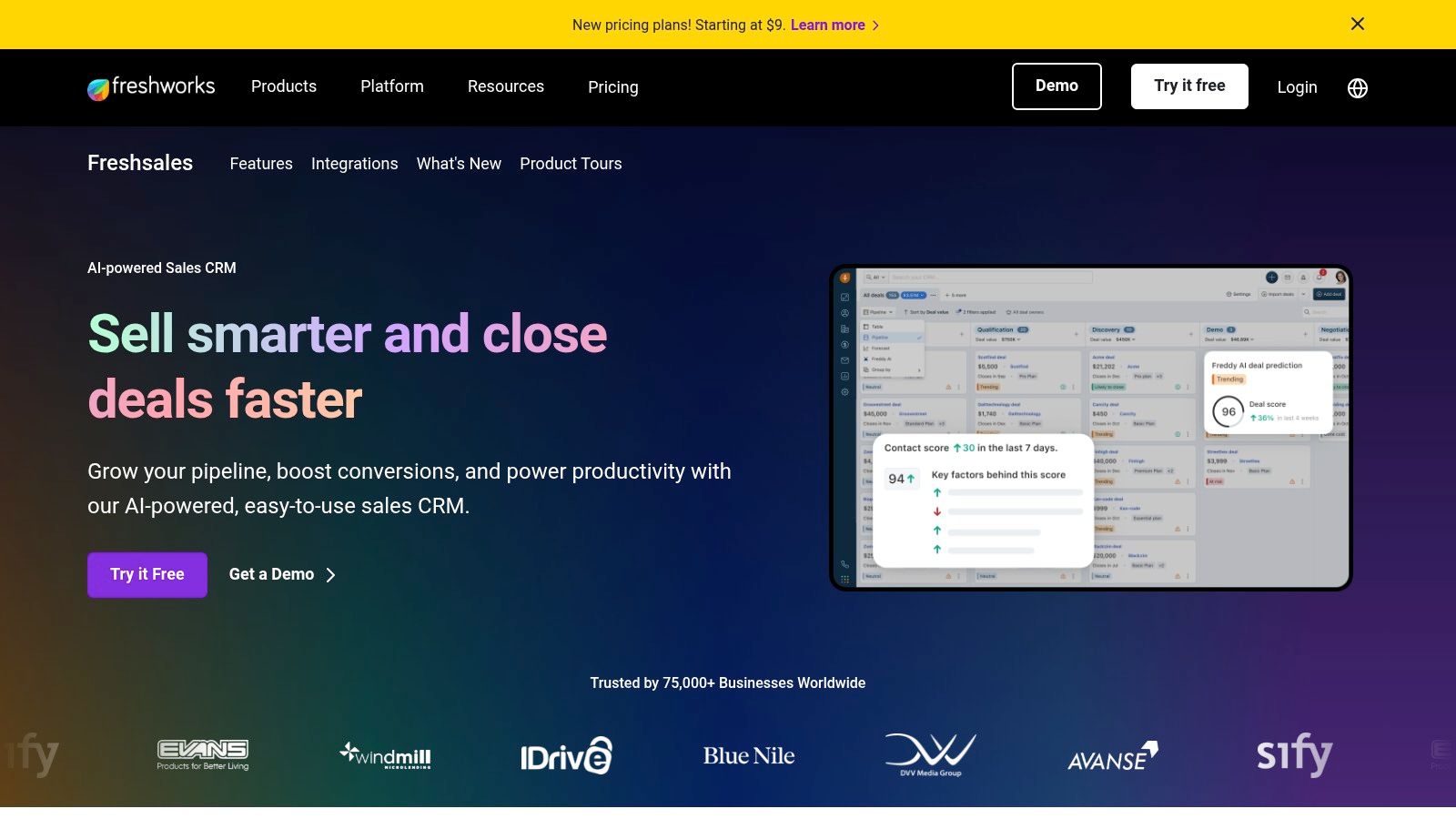
The platform is powered by an AI assistant named Freddy, which helps with lead scoring, deal insights, and even content suggestions. This built-in intelligence provides powerful features without the steep learning curve or high cost often associated with enterprise-grade CRMs. Available as a standalone sales tool or part of the Freshsales Suite for combined sales and marketing, it offers flexibility for growing teams.
Ideal Use Case & Key Features
Freshsales is ideal for sales teams that rely heavily on direct communication like calls and live chat and want those tools embedded within their CRM. It's a strong choice for businesses that need to get up and running quickly with powerful, out-of-the-box features without extensive customization.
- Built-in Multichannel Communication: Engage customers via phone, email, chat, and SMS from a single screen.
- Freddy AI Assistant: Provides predictive lead scoring, deal insights, and helps identify at-risk contacts.
- Visual Sales Pipelines: Easily track deals through customizable stages with a drag-and-drop interface.
- Sales Sequences: Automate personalized email outreach to nurture leads and ensure consistent follow-up.
Pricing and Limitations
Freshsales offers a free-forever plan for small teams, with paid tiers that are competitively priced. The value is strong, especially considering the built-in telephony and AI features. However, as a business scales, the cost of add-ons for features like CPQ (Configure, Price, Quote) or advanced chatbot capabilities can increase the total investment. Its reporting and customization options are robust but may not be as extensive as some enterprise-focused competitors.
- Pros: Excellent value for the price, built-in communication tools, user-friendly interface.
- Cons: Advanced features can require more expensive plans or add-ons, deep customization is more limited than enterprise platforms.
Find it at: https://www.freshworks.com/crm/
8. Keap
Keap positions itself as the all-in-one CRM, sales, and marketing automation platform specifically for service-based small businesses and entrepreneurs. It excels by combining contact management with powerful, easy-to-use automation, allowing business owners to streamline everything from lead capture and follow-up to appointment scheduling and payment collection. Its key differentiator is the focus on integrating sales and marketing workflows with built-in tools for invoicing and payments.
The platform is built around a visual automation builder that lets you create sophisticated "if-then" campaigns without writing any code. This makes it a great choice for business owners who want to automate repetitive tasks and ensure no lead falls through the cracks. By centralizing client communication, appointments, quotes, and invoicing, Keap provides a single source of truth for all client interactions, which is why it is often considered one of the best CRM for small business owners managing multiple roles.
Ideal Use Case & Key Features
Keap is ideal for established small businesses, coaches, and consultants who need to automate their sales and marketing processes and manage the entire client lifecycle in one place. It shines for users who are ready to invest in a robust system to save time and scale their operations without juggling multiple disconnected tools.
- Drag-and-Drop Automations: Build custom sales and marketing campaigns to nurture leads and onboard clients automatically.
- Built-in Payments & Invoicing: Create quotes, send invoices, and accept payments directly within the CRM using Keap Pay.
- Integrated Communication Tools: Manage appointments, texting, and an optional business phone line from a single platform.
- Expert Coaching & Migration: Offers dedicated implementation and migration services to help new users get set up successfully.
Pricing and Limitations
Keap is a premium solution with a higher starting price than many competitors, and it does not offer a permanent free plan. The pricing is tied to the number of contacts in your database, which can increase costs as you grow. Furthermore, the mandatory expert coaching for new users adds an initial one-time fee to the overall investment, which can be a barrier for brand-new businesses.
- Pros: Powerful end-to-end automation, well-suited for service-based SMBs, consolidates many tools into one.
- Cons: Higher starting price point, no free tier, onboarding services carry an additional cost.
Find it at: https://keap.com/
9. Copper
Copper is a CRM designed specifically for businesses that live inside Google Workspace. Its primary strength lies in its deep, native integration with Gmail, Google Calendar, and Google Drive, making it one of the best CRM for small business teams that want to manage relationships without leaving their inbox. The platform automatically scrapes and organizes contacts, emails, and files, significantly reducing manual data entry and streamlining workflows for Google-first companies.
The user experience is clean and intuitive, often praised for its simplicity and fast adoption rate. By operating as a Chrome extension directly within Gmail, Copper allows users to update deals, track conversations, and manage tasks in context. This seamless integration ensures that the CRM becomes a natural part of a team’s daily routine rather than a separate tool they have to remember to use.
Ideal Use Case & Key Features
Copper is the perfect fit for agencies, consultants, and SMBs heavily reliant on the Google ecosystem. It excels for teams that prioritize ease of use and want a CRM that requires minimal training and setup. If your team's communication and scheduling are already centered around Gmail and Google Calendar, Copper will feel like a natural extension of your existing tools.
- Native Google Workspace Integration: A Chrome extension that embeds the CRM directly into Gmail, plus syncs with Calendar and Drive.
- Automated Data Entry: Automatically captures contact details, email threads, and meeting notes from your inbox.
- Visual Sales Pipelines: Simple drag-and-drop interface for tracking deals and managing sales stages.
- Contact Enrichment: Automatically finds and adds social profiles and company information to your contact records.
Pricing and Limitations
Copper offers three main pricing tiers: Basic, Professional, and Business. While the setup is fast, its deep reliance on Google Workspace means it’s not an ideal choice for businesses using other email providers like Microsoft 365. Lower-priced plans have limitations on the number of contacts and lack advanced automation and reporting features, which are reserved for the more expensive tiers.
- Pros: Unmatched integration with Google Workspace, exceptionally easy to use and set up, automates tedious data entry.
- Cons: Not suitable for non-Google users, contact limits on lower plans, advanced features are pricey.
Find it at: https://www.copper.com/
10. Capsule CRM
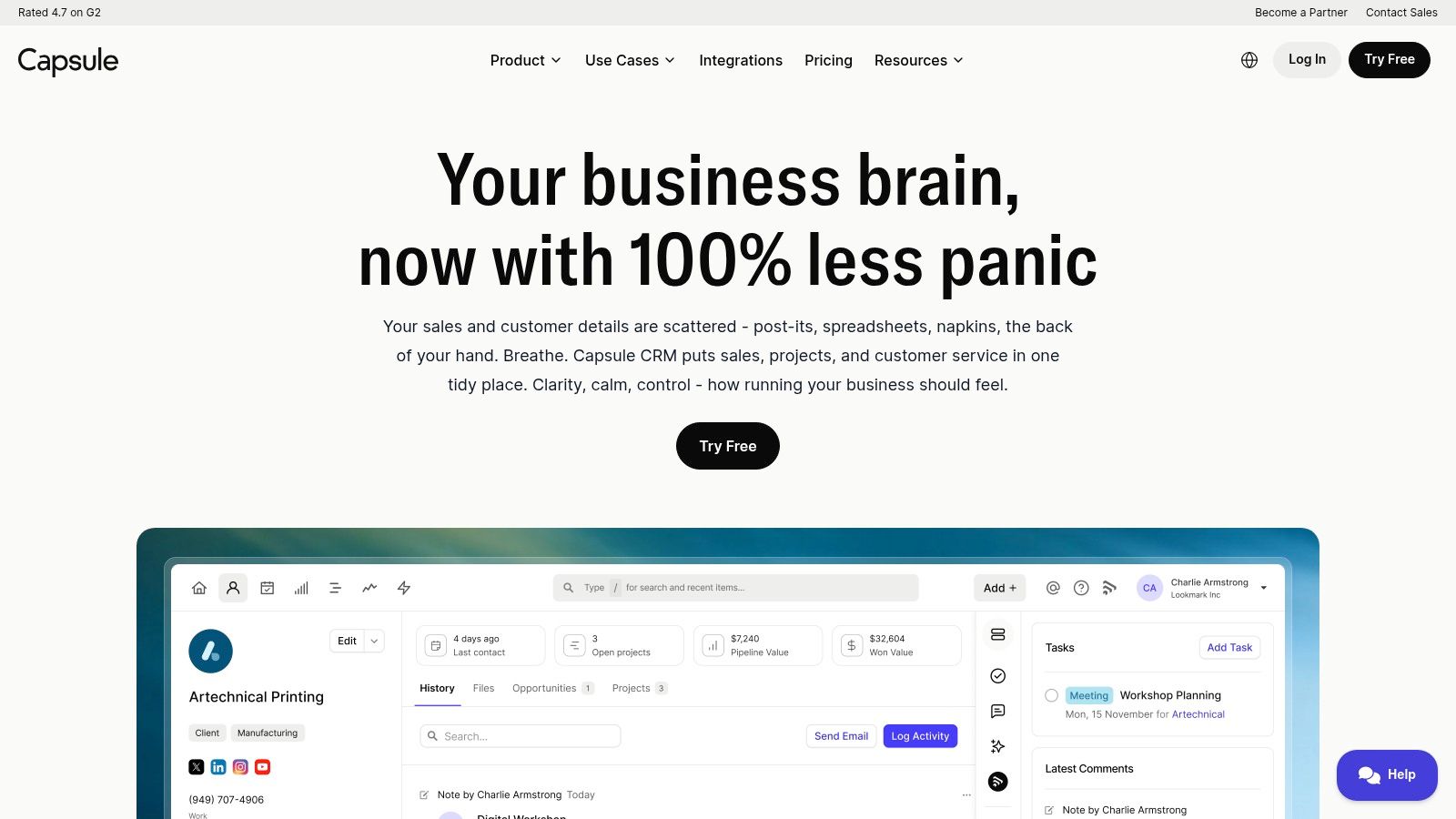
Capsule CRM positions itself as the simple, smart CRM for businesses that need to organize contacts and manage their sales pipeline without unnecessary complexity. It’s designed for small teams that find larger platforms overwhelming, offering a clean, intuitive interface that focuses on core CRM functionalities. The platform provides a clear overview of your contacts, communications, and sales opportunities, making it easy to stay on top of relationships.
Its strength lies in its simplicity and strong integration with key business tools like Google Workspace, Microsoft 365, Xero, and Mailchimp. This makes it a great choice for businesses that have already built their tech stack around these services. Capsule helps centralize customer data and interactions, ensuring everyone on the team has the context they need to build better relationships and close deals faster.
Ideal Use Case & Key Features
Capsule CRM is best for freelancers, consultants, and small teams that prioritize ease of use and affordability over advanced, enterprise-level features. It is a strong contender for the best CRM for small business owners who need a no-fuss system to track leads, manage projects, and maintain customer history without a steep learning curve or significant administrative overhead.
- Contact & Pipeline Management: Provides a clear, visual sales pipeline and a comprehensive contact management system with activity timelines.
- Key Integrations: Connects seamlessly with popular accounting, email marketing, and productivity software.
- Sales Analytics: Offers straightforward reporting on sales activities, pipeline forecasts, and team performance.
- Project Management: Includes project boards on paid plans to manage post-sale activities and tasks.
Pricing and Limitations
Capsule offers a limited free plan for up to two users and 250 contacts, making it accessible for startups. Paid plans (Professional, Teams, Enterprise) are competitively priced per user and unlock features like multiple sales pipelines, project management, and advanced reporting. While affordable, it lacks the deep marketing automation and all-in-one capabilities found in more comprehensive suites like HubSpot.
- Pros: Very simple and intuitive interface, competitive pricing, excellent mobile app experience.
- Cons: Limited features on the free plan, not as scalable for complex marketing or service needs.
Find it at: https://capsulecrm.com/
11. Close
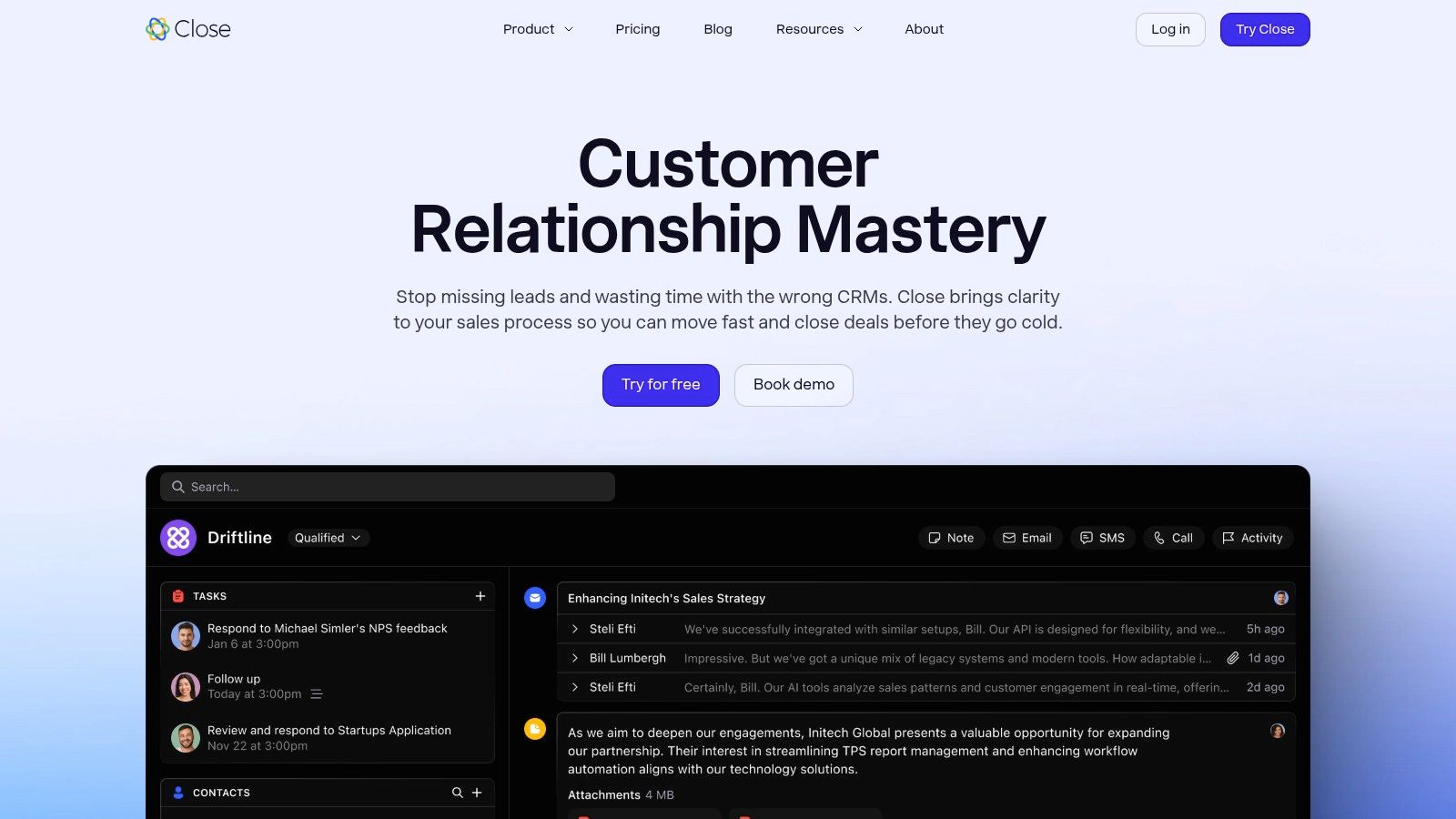
Close is a high-velocity sales CRM designed specifically for inside and outbound sales teams that rely heavily on communication. It merges a traditional CRM with powerful, built-in calling, SMS, and email sequencing tools, effectively eliminating the need for separate dialer software. This integrated approach allows reps to manage all their outreach activities from a single, unified inbox, making it a strong contender for the best CRM for small business teams focused on rapid, multi-channel engagement.
The platform is built around sales productivity, providing automated workflows and AI-powered assistants to streamline repetitive tasks and help reps focus on selling. Its clean interface prioritizes the next action, ensuring that no lead falls through the cracks. For sales-driven SMBs, Close offers a powerful engine to manage leads, track deals, and execute communication at scale without juggling multiple applications.
Ideal Use Case & Key Features
Close is best for calling-heavy SMB sales teams and startups that need an all-in-one outreach and CRM solution. It excels for organizations where speed and volume of communication are critical to closing deals, such as SaaS companies, agencies, and B2B service providers.
- Multi-Channel Unified Inbox: Combines calling, SMS, and email sequences into one view for seamless follow-up.
- Built-in Calling & Dialers: Includes Power and Predictive Dialers, call recording, and AI call assistants as add-ons.
- Sales Automation: Automate email sequences, follow-up reminders, and other repetitive sales tasks.
- Multiple Pipelines: Create and manage distinct sales processes for different products or teams on higher tiers.
Pricing and Limitations
Close’s pricing is straightforward per user, with unlimited contacts and leads included in its core plans, which is a major advantage. However, the total cost can increase with telephony and SMS usage fees, as well as with powerful add-ons like the dialers and AI call assistant. It also has fewer native marketing automation features compared to broader platforms like HubSpot.
- Pros: Excellent for calling-heavy teams, can replace a separate dialer, unlimited contacts/leads on core tiers.
- Cons: Telephony and SMS usage fees and add-ons increase total cost, fewer native marketing tools than full-suite CRMs.
Find it at: https://www.close.com/
12. G2 (Small Business CRM Category)
While not a CRM itself, G2 is an essential peer-review marketplace that acts as a meta-resource for finding the best CRM for small business needs. It aggregates thousands of verified user reviews, allowing you to compare products based on real-world experiences rather than just marketing copy. Think of it as a crucial first step in your research process, helping you shortlist vendors before committing to demos.
The platform's strength lies in its comprehensive filtering and comparison tools. You can drill down into the Small Business CRM category, sorting by user satisfaction, market presence, and specific features. The iconic G2 Grid plots vendors visually, giving you a quick sense of market leaders and niche players. This data-driven approach helps you move beyond brand recognition to find a tool that genuinely fits your operational requirements and budget.
Ideal Use Case & Key Features
G2 is best for business owners and managers in the initial research and shortlisting phase of their CRM selection process. It provides the social proof and unfiltered feedback needed to build a confident list of potential solutions to evaluate further. It's particularly useful for cross-referencing vendor claims with actual user-reported pros and cons.
- Verified User Reviews: Access detailed feedback from peers on usability, support quality, and feature performance.
- Comparison Tools: Directly compare up to four different CRM products side-by-side on features, pricing, and ratings.
- G2 Grid & Reports: Visualize the market landscape with satisfaction and market presence grids, along with in-depth category reports.
- Curated Shortlists: Discover pre-made lists and buyer’s guides that recommend top-rated CRMs for specific use cases.
Pricing and Limitations
Using G2 for research is completely free for buyers. However, it's important to be aware that vendor visibility can be influenced by sponsored placements, so always cross-reference top results with organic rankings and reviews. Additionally, pricing information listed on G2 can sometimes be outdated, so it's best to verify costs directly on the vendor's website.
- Pros: Provides a broad market overview with real-world feedback, excellent for narrowing choices and building a shortlist.
- Cons: Sponsored placements can affect product visibility, pricing details may not always be current.
Find it at: https://www.g2.com/categories/crm/small-business
Top 12 Small-Business CRM Comparison
| Product | Primary use case | Target audience | Key differentiator | Pricing & scalability |
|---|---|---|---|---|
| Supatool | No-code forms, multi-step workflows, document generation, e-signatures & payments | SMB teams across sales, marketing, HR & ops | All-in-one no-code automation + built-in payments, AI insights, 100+ integrations, offline & PDF mapping | Early access / contact sales for plans; scalable platform (verify compliance for enterprise) |
| HubSpot | CRM with Marketing, Sales & Service hubs and automation | Startups and growing SMBs wanting inbound tools & ecosystem | Generous free CRM tier and large app marketplace | Free core CRM; paid hubs scale by seat — can be costly at Pro/Enterprise |
| Salesforce | Enterprise-grade CRM with guided flows and AppExchange | SMBs planning to scale to enterprise-grade systems | Strong scalability, ecosystem & advanced automation upgrade path | Starter to Enterprise tiers; many advanced features are add-ons |
| Zoho CRM | Affordable, flexible CRM with broad integrations | Budget-conscious SMBs wanting extensibility | Competitive pricing and seamless integration with Zoho apps | Free plan available; multiple paid tiers for more features |
| Pipedrive | Visual pipelines and sales-focused automation | Sales teams needing quick onboarding and clarity | Very intuitive UI, transparent per-seat pricing, fast time-to-value | Per-seat plans with clear tiers; 14-day free trial |
| monday Sales CRM | Customizable boards, automations tied to work OS | Teams wanting to unify sales with operations/projects | Highly visual, configurable boards and automations | Seat bundles (minimums); costs rise with heavy automation |
| Freshsales (Freshworks) | Multichannel CRM with phone, chat and AI assistant | Small teams needing quick multichannel selling | Built-in telephony/chat + Freddy AI for scoring & insights | Good SMB value; add-ons (bots/CPQ) may increase cost |
| Keap | CRM + marketing automation + invoicing/payments | Owner-led SMBs and solo entrepreneurs | End-to-end automation with built-in payments, quotes & appointments | Higher starting price; pricing tied to contact counts; onboarding services extra |
| Copper | Google Workspace‑centric CRM with native Gmail sync | Google-first SMBs using Gmail, Calendar & Drive | Best-in-class Gmail/Workspace integration and UX | Per-seat pricing; lower tiers have contact limits |
| Capsule CRM | Lightweight contact & pipeline management | Very small teams wanting minimal admin | Simple, clean UI with competitive pricing | Limited free plan; paid tiers add automations and pipelines |
| Close | CRM for calling-heavy outbound and inside-sales teams | Sales teams that rely on calling, SMS and sequences | Integrated dialer, call recording and multi-channel sequences | Base pricing + telephony/SMS usage fees and add-ons |
| G2 (Small Business CRM) | Review marketplace to compare CRM vendors | Buyers shortlisting CRMs and researching peers | Verified user reviews, category filters and buyer guides | Free to browse; sponsored placements may influence visibility |
Making Your Final Decision
Navigating the crowded market to find the best CRM for your small business can feel overwhelming, but this guide has equipped you with the framework to make a confident, strategic choice. We've explored a diverse landscape of tools, from sales powerhouses like Pipedrive and Close to all-in-one ecosystems like HubSpot and Zoho. The central theme is clear: there is no single "best" CRM, only the one that best aligns with your specific operational reality.
Your ideal solution hinges directly on your primary business drivers. A sales-centric team focused on high-velocity outreach will find Close’s integrated communication tools invaluable. In contrast, a business deeply embedded in the Google Workspace ecosystem will achieve maximum efficiency with Copper's native integration, eliminating friction and redundant data entry. For those who need a visually intuitive platform to manage complex projects alongside their sales pipeline, monday Sales CRM offers a compelling, hybrid approach.
The key takeaway is to move beyond feature checklists and focus on your core workflows. The most feature-rich platform is useless if it complicates your team's daily tasks. Your decision should be guided by your unique business model, your team’s technical comfort level, and your growth trajectory for the next 18-24 months.
A Practical Framework for Your Final Choice
Choosing a CRM is a significant commitment of time, budget, and team energy. Rushing the decision can lead to poor adoption and wasted resources. Instead, follow a structured evaluation process to ensure you select a tool that truly empowers your team.
Here is a step-by-step plan to guide you from this article to a final decision:
- Define Your "Must-Haves": Based on our analysis, identify the 3-5 non-negotiable features your business requires. Is it seamless email integration? Advanced marketing automation? A robust mobile app? Write these down.
- Create a Shortlist: Select 2-3 CRMs from our list that excel in your "must-have" areas. For example, if your top priorities are simplicity and budget, your shortlist might include Capsule CRM and the free tier of HubSpot. If it's workflow automation, you might compare Zoho CRM and Supatool.
- Engage in Active Trials: Don't just sign up for free trials and poke around. Create a real-world test scenario. Import a small subset of your actual contacts and ask your team to perform their daily tasks within each platform. Can they easily log a call, update a deal stage, or send a follow-up email?
- Involve Your Team: The best CRM is the one your team will actually use. Get feedback from the people who will be in the system every day. Their hands-on experience during the trial period is the most valuable data you can collect.
- Evaluate Integration Potential: Consider the other tools your business relies on. Check the native integrations and API capabilities (or Zapier/Make compatibility) of your shortlisted CRMs. The right tool should act as a central hub, not an isolated data silo.
Thinking Beyond the Traditional CRM
A crucial insight from our review is that sometimes, the problem you're trying to solve isn't a traditional sales pipeline issue. If your primary challenges involve custom internal processes, multi-step approvals, or unique data collection needs, a standard CRM might feel restrictive.
This is where a no-code automation platform like Supatool presents a powerful alternative. Instead of forcing your unique workflows into a pre-built sales funnel, you can build the exact tools you need. This could be a custom client onboarding portal, an internal asset request system, or a bespoke project management dashboard. Recognizing when your needs are more process-oriented than sales-oriented is key to avoiding a mismatched software investment. The right platform will feel less like a rigid piece of software and more like a natural extension of your team, empowering you to build stronger relationships and scale your operations with confidence.
Ready to see how a flexible, no-code platform can solve your unique business challenges where a traditional CRM falls short? Supatool empowers you to build the custom internal tools, client portals, and automated workflows you need without writing a single line of code. Stop trying to fit your process into a box and start building the solution that fits your business. Explore what you can build with Supatool today.