
How to Remove JotForm Branding?
Trying to remove JotForm branding from your forms? That little “Now create your own Jotform - It’s free!” message can make your form look less professional, especially for client-facing projects.
Here’s the deal: you can’t remove JotForm branding on the free plan. But if you’re on any paid tier, turning it off takes less than a minute.
In this quick guide, we wil show you where JotForm branding appears, why it stays on free plans, and the exact steps to remove it once you upgrade.
What Is JotForm Branding and Where Does It Appear?
JotForm branding usually shows up in two main places:
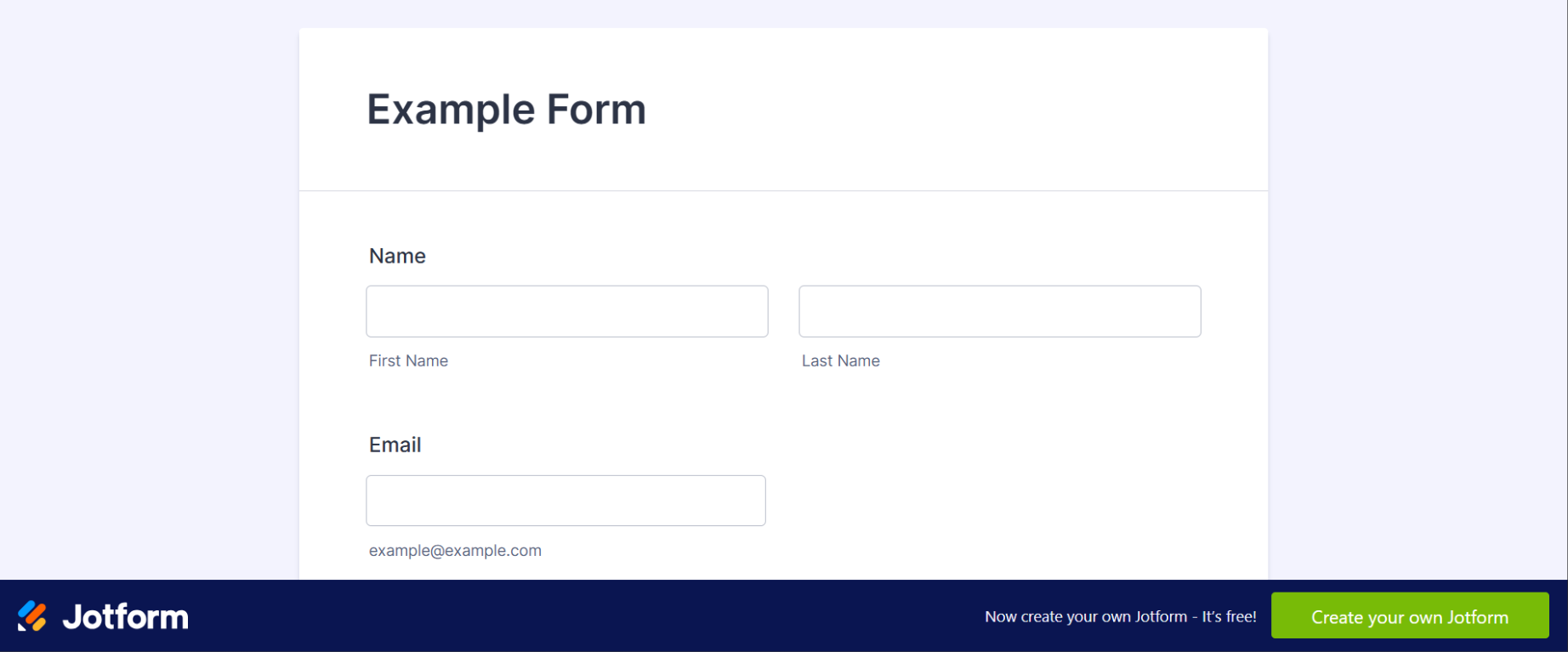
- Form footer: At the bottom of every public form, you’ll see “Now create your own Jotform - It’s free!”
- Email confirmations: When someone fills out your form, the confirmation email may include a JotForm logo or tagline
This branding is automatically included by default for all accounts, especially free ones.
Here’s what it typically looks like on your forms and emails:
Why You Can’t Remove Branding on a Free JotForm Account
If you're using the free plan, branding is part of the trade-off. JotForm offers its service for free in exchange for subtle advertising.
Only paid users have the ability to remove JotForm branding. Here's what you need to know:
- Bronze plan or higher is required to unlock the branding toggle
- Pricing starts around $39/month (cheaper with annual billing)
- You won’t see the branding option in your settings unless your account is upgraded
How to Remove JotForm Branding (Step-by-Step)
Once your account is upgraded, you can remove JotForm branding in just a few clicks.
Step 1 - Go to Account Settings
Log in to your JotForm account.
Click on your avatar (top-right corner), then select Settings from the dropdown.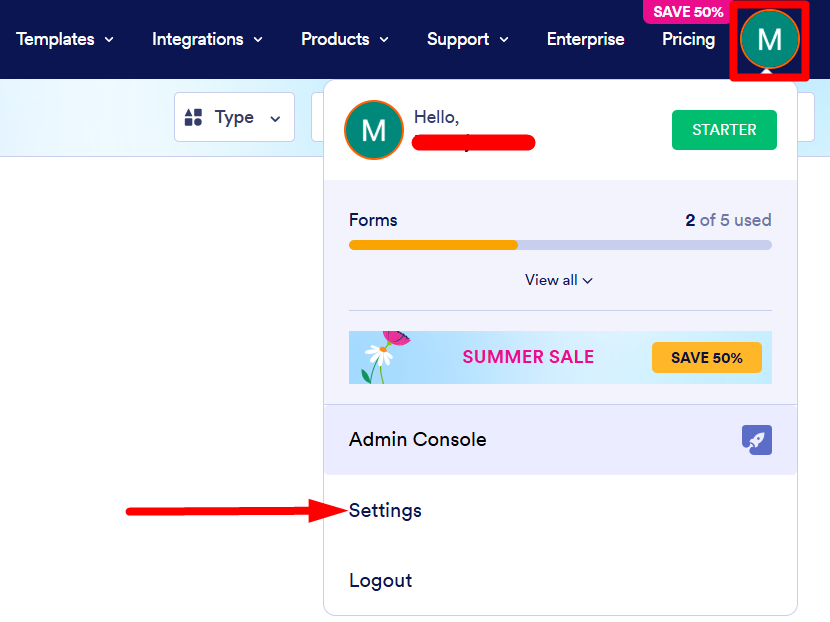 Step 2 - Find the Branding Section
Scroll down the Settings page until you see the section labeled JotForm Branding.
This is where the branding toggle lives, but it’s only visible to paid accounts.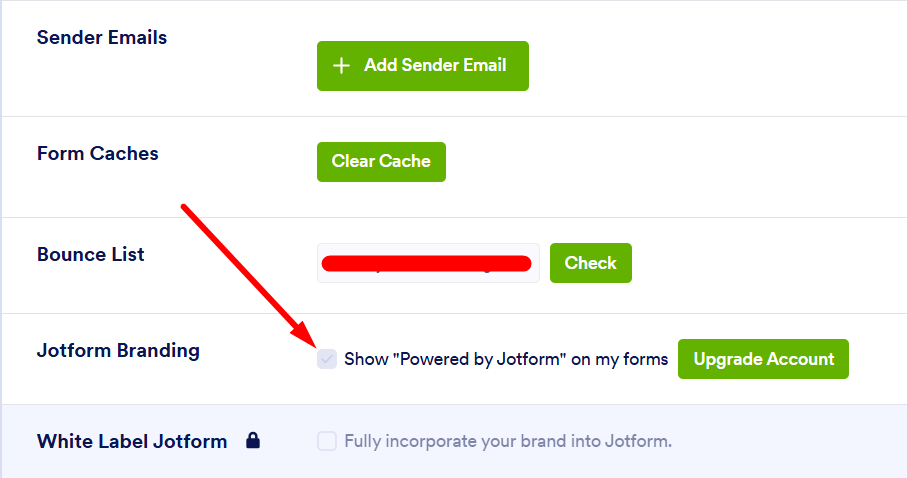 Step 3 - Upgrade Your Plan
If you're still on the free plan, you’ll need to upgrade first:
- Click on the Upgrade button
- Choose a plan (Bronze, Silver, or Gold)
- Complete the payment steps
- Once upgraded, refresh the settings page
You’ll now see the branding option available.
Step 4 - Uncheck the Branding Option
To remove JotForm branding from your forms and emails:
- Uncheck the box that says “Show ‘Powered by JotForm’ on my forms”
- Click Save to confirm
That’s it! The JotForm logo and footer will disappear from your forms and emails.
What Changes After Removing Branding?
Here’s what to expect once branding is turned off:
- Cleaner form footer: No more JotForm logo or tagline at the bottom.
- White-labeled emails: Confirmation messages look more custom and professional.
- Better user experience: Your forms appear fully branded to your business.
This small change can make a big impact on client perception and brand trust.
FAQs - JotForm Branding and Removal
Can I remove JotForm branding on a free plan?
No. Branding removal is only available on paid JotForm plans.
Which JotForm plans allow you to remove branding?
You can remove branding with any paid plan starting from Bronze and up.
Will my form submissions change after removing branding?
No. Removing branding doesn’t affect how submissions work. Only the visual elements change.
Can I remove branding from just one form?
Unfortunately, the setting applies account-wide. You can’t toggle branding on/off per form.
Is there a workaround without upgrading?
There’s no official workaround. Some users try custom embedding, but results may vary and it’s not officially supported.