
13 Free Intake Forms and How to Create One From Scratch
Fast navigation
Looking for 13 free intake forms and how to create one from scratch? Whether you’re in healthcare, law, fitness, or real estate, intake forms are your first impression and your best tool to gather the right information upfront.
In this guide, I’ll not only show you ready-made examples across industries but also walk you through how to build your own custom intake form using Google Forms.
Let’s dive in.
Steps:
- Create a New Google Form
- Add Personal Information Fields
- Collect Background & Service-Specific Details
- Add Marketing or Referral Questions
- Customize Your Form Appearance
- Share and Export Your Intake Form
What is an Intake Form?
An intake form is your client’s digital handshake. It helps you collect personal info, goals, preferences, or legal details before a service begins. Whether it’s a new gym member or a potential legal client, this form streamlines onboarding and gives you everything you need to deliver a personalized experience.
Think of it like a digital “Tell me more about you” before you even hop on a call.
Why Intake Forms Matter
- Better first impressions: They show professionalism from the start.
- Fewer back-and-forths: You collect all info in one go.
- Smarter service: You tailor your service based on actual needs.
- Automated data flow: Responses go straight into your system or CRM.
- Legal protection: Get consent, signatures, or documentation where needed.
13 Free Intake Form Templates (Across Industries)
Here are 13 example intake forms categorized by industry. You can use these ideas to build your own in minutes.
Business & Professional Services
1. Client Intake Form (General Services) For consultants, marketers, or freelancers gathering contact info, goals, and service scope.
2. Legal Client Intake Form Collects client background, case details, key dates, and prior legal actions.
3. Tax Prep Intake Form Ideal for accountants includes income types, deductions, and prior filings.
Healthcare & Wellness
4. Medical Patient Intake Form Captures symptoms, medications, health history, and insurance.
5. Veterinary Intake Form Used for pet history, vaccines, diet, and symptoms.
6. Counseling Intake Form Asks about mental health goals, prior therapy, medication, and current challenges.
Beauty & Personal Care
7. Spa Intake Form Checks allergies, skin sensitivities, and massage preferences.
8. Facial Treatment Intake Form Asks about skin types, routines, allergies, and recent treatments.
9. Body Sculpting Intake Form Gathers details on treatment zones, expectations, and medical history.
Fitness & Lifestyle
10. Personal Training Intake Form Covers goals, injuries, routines, and fitness level.
11. Reiki or Holistic Wellness Intake Form Asks about stress, energy imbalances, and session goals.
Real Estate
12. Buyer Intake Form Captures buyer preferences like location, budget, home type, and deal-breakers.
13. Rental Application Intake Form Includes employment, rental history, references, and co-occupants.
How to Create a Custom Intake Form From Scratch (Using Google Forms)
Now let’s build your own form in just a few steps.
Step 1: Create a New Google Form
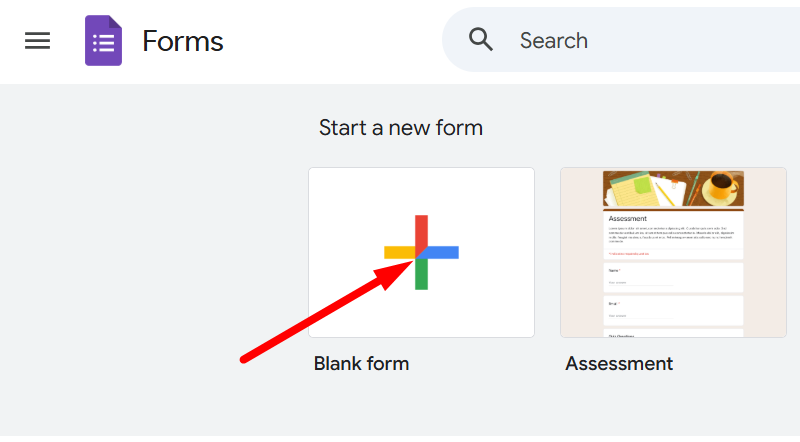
- Go to Google Forms
- Click the Blank Form to start from scratch
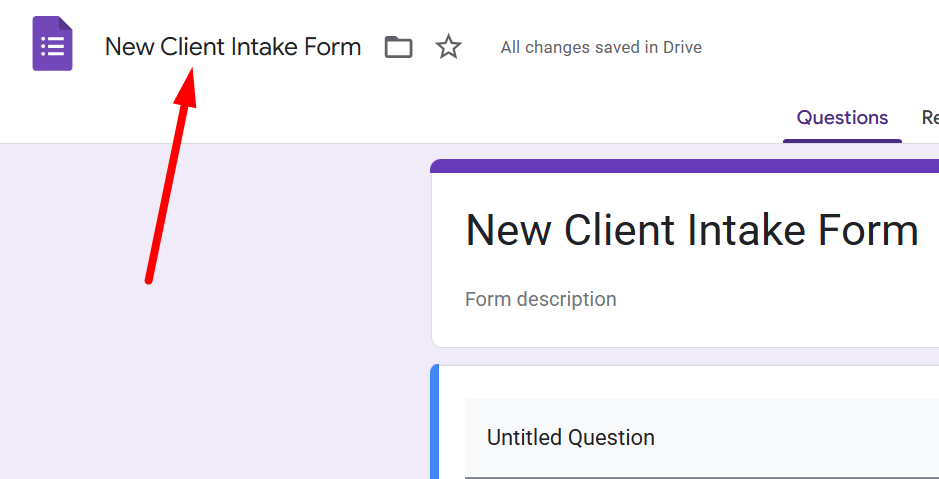
- Name your form something like: “New Client Intake Form”
Step 2: Add Basic Personal Info Questions
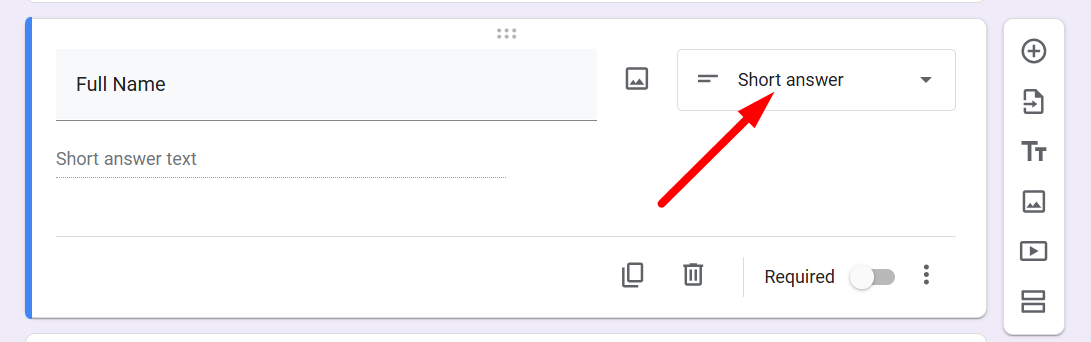
Start with fields like:
- Full Name
- Email Address
- Phone Number
- Preferred Contact Method
Use Short Answer question types for these.
Step 3: Add Industry-Specific Questions
This depends on your field. Here are a few examples:
If you're in fitness:
- What are your fitness goals?
- Do you have any injuries or restrictions?
If you’re in legal services:
- What is the nature of your legal concern?
- When did the issue occur?
If you’re a spa:
- Do you have any allergies to products or essential oils?
Use Paragraph, Checkboxes, or Multiple Choice as needed.
Step 4: Add Consent or Signature Questions
This part is crucial for legal or healthcare fields.
- Add a Checkbox question with: “I agree to the terms and consent to data usage.”
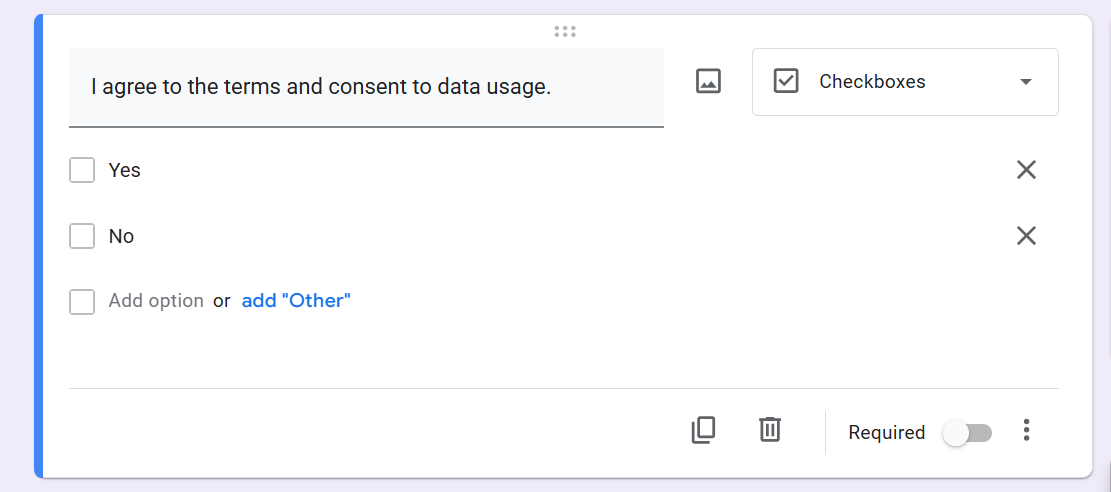
You can also add a File Upload question for ID or document submissions if required.
Step 5: Customize the Look
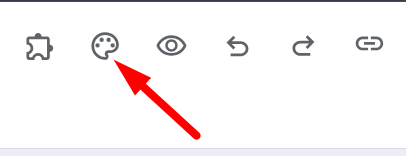
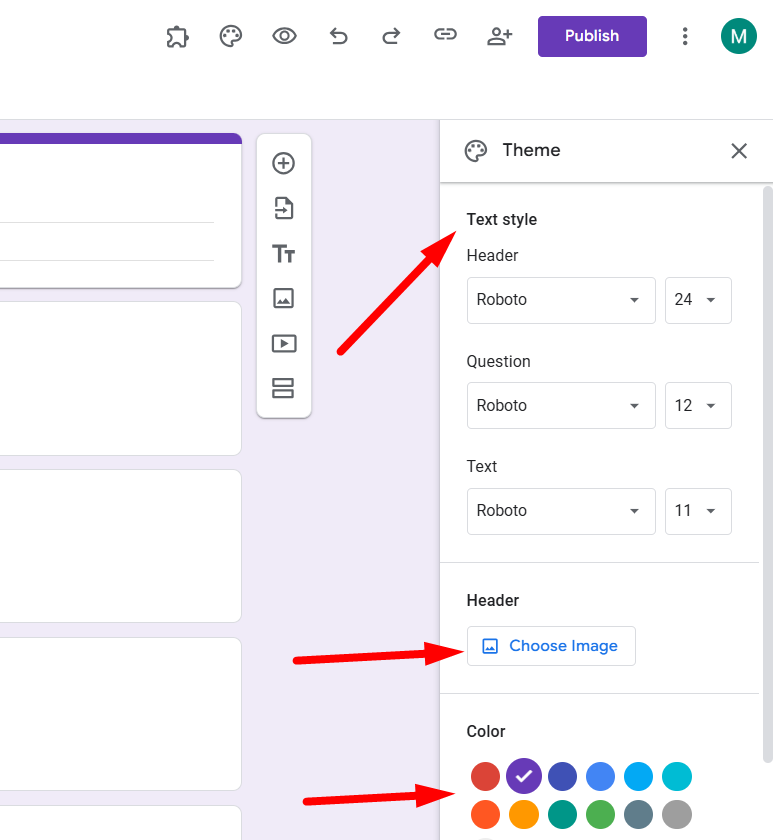
Click the Palette icon (Theme) on top right:
- Add your logo as a header image
- Change the color to match your brand
- Adjust the font style (Formal, Playful, etc.)
H3: Step 6: Preview and Test Your Form
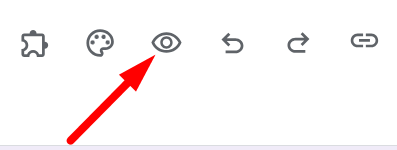
Click the eye icon (Preview) to test the form as a respondent. Fill it out and make sure everything works as expected.
Step 7: Publish Your Form
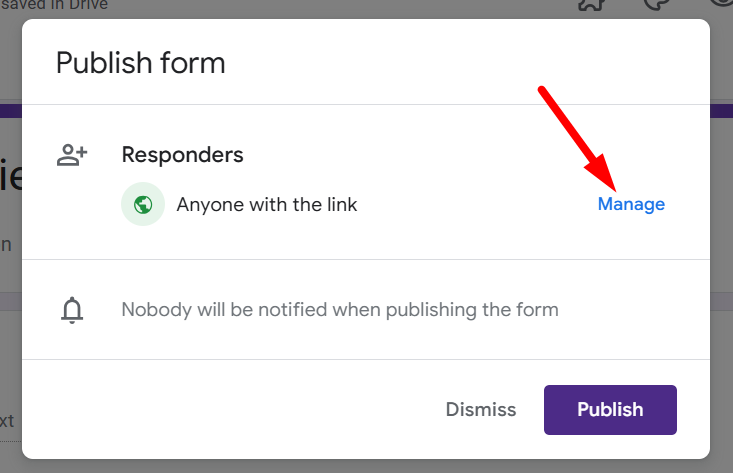
Click the Publish button:
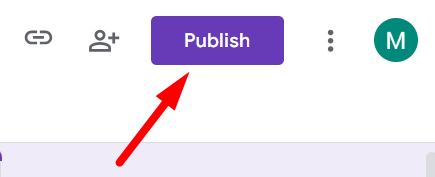
Click on Manage in the pop-up
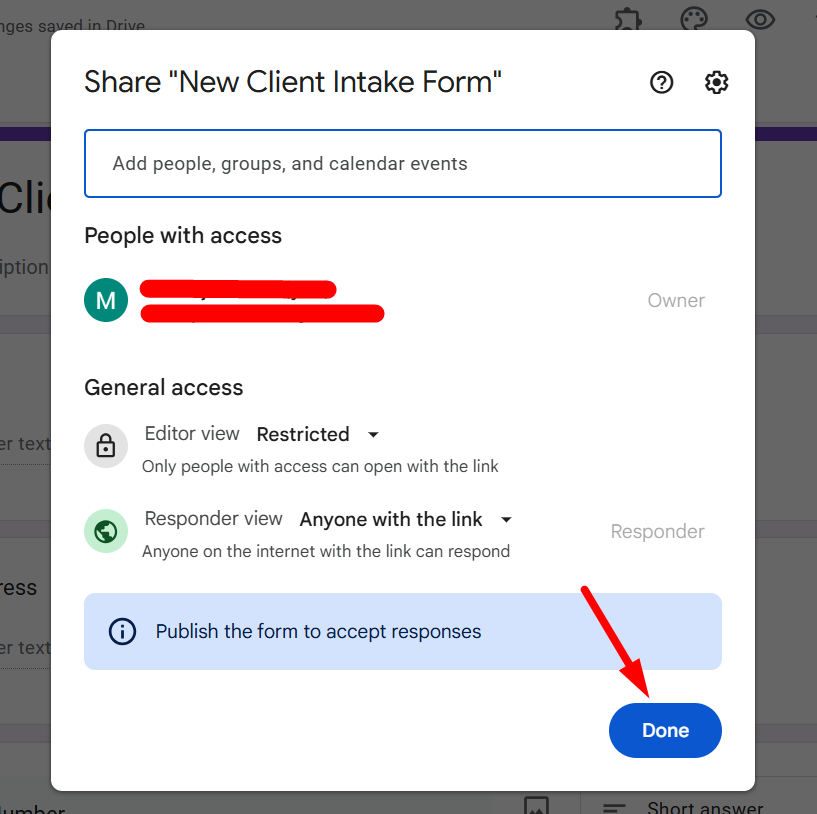
Set the excess and click on ‘Done’.
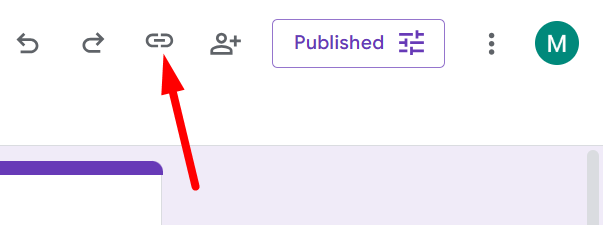
Copy the responder link and send it to your responder. To do that, click on the link icon at the top right corner of the form.
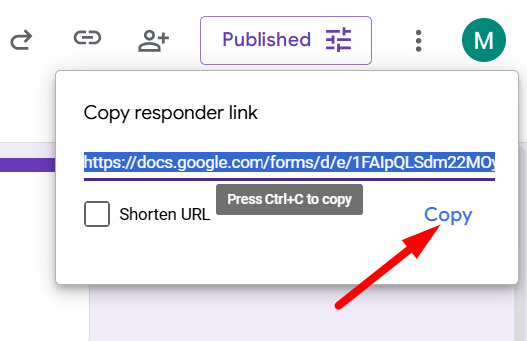
The link will appear. Then click on ‘Copy’. The link will be copied immediately.
Step 8 (Optional): Link with Google Sheets
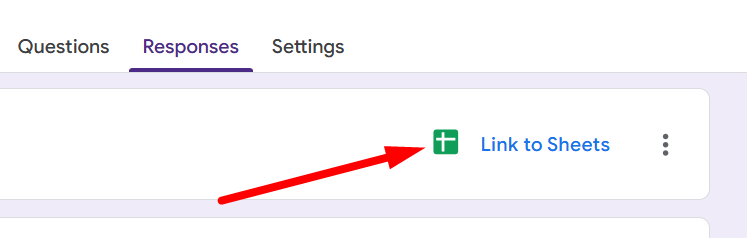
Click ‘Responses’ tab → Click Google Sheets icon This will store all submissions in a sheet for easy tracking and filtering.
Conclusion
There you go 13 free intake forms to inspire you and a step-by-step walkthrough to build your own from scratch. Whether you're onboarding a new client or collecting consent for a service, the right intake form saves time, improves clarity, and sets you up for a smoother experience.
Start simple. Get the info you need. And build smarter relationships from the first click.
FAQs: Intake Forms
Q1. Can I use these intake forms in any industry?
Yes! Intake forms are adaptable you just tailor the questions to fit your business.
Q2. Can I collect files like resumes or medical reports?
Absolutely. Use the “File upload” question type in Google Forms.
Q3. Are Google Forms secure enough for sensitive data?
For basic use, yes. But for HIPAA or legal-grade privacy, consider a tool like Jotform or SurveySparrow with compliance options.
Q4. Can I add my logo or branding?
Yes. Google Forms allows custom headers, fonts, and colors to match your brand.
Q5. Can I automate where the data goes?
Yes. Google Forms + Sheets + tools like Zapier let you route data to CRMs, calendars, or email.